i Short answer
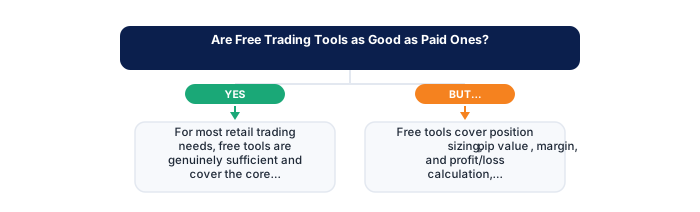
For most retail needs, free tools genuinely do the job and cover the core functionality you're after. What you get from paying is mostly convenience, faster processing, more data, a more polished interface, not some fundamentally different capability.
📋 ON THIS PAGE
- What free tools genuinely cover for most traders
- What paid tools typically add beyond free alternatives
- The broker-provided free tool advantage specifically
- When paid tools might genuinely justify their cost
- Avoiding the trap of equating tool spending with trading progress
- A sensible approach to evaluating any specific paid upgrade
1. What free tools genuinely cover for most traders
Free tools cover more ground than most beginners expect: position sizing, pip value, margin, and profit/loss calculation are all handled competently by tools that cost nothing. The calculators built into most trading platforms, combined with browser-based utilities from reputable providers, handle the arithmetic that underpins every trade you'll place at the retail level.
It's worth actually testing this claim for yourself rather than taking it on faith. Spend a week deliberately using only the free tools available to you and document what you genuinely couldn't do as a result. Most traders come back with a surprisingly short list.
Charting is the area where free tools draw the most scrutiny, yet even here the gap has narrowed considerably. Browser-based charting platforms now offer multi-timeframe analysis, dozens of technical indicators, and drawing tools that were subscription-only features a few years ago. For the trader who isn't running a professional desk, this level of functionality is almost always more than enough.
The realistic limitation of free tools isn't capability, it's data freshness and depth. Historical data sets are often shorter, real-time quotes may carry a fifteen-minute delay on some platforms, and screening across large universes of instruments simultaneously is harder. These constraints only become binding once your strategy specifically depends on them.
| Feature | Free Tools | Paid Tools |
|---|---|---|
| Charting basics | Fully covered | Fully covered |
| Standard indicators | Usually included | Usually included |
| Backtesting depth | Limited or absent | Often more sound |
| Data history length | Often restricted | Typically longer |
| Custom scripting | Rarely available | Often supported |
| Real edge over free tools | N/A | Only for specific, advanced needs |
2. What paid tools typically add beyond free alternatives
What you're really paying for is convenience: deeper historical data, faster real-time refresh rates, a wider set of advanced technical indicators, and in some cases access to screening tools that surface setups automatically. None of these represent a fundamental capability you're missing at a free tier, they represent time saving and depth of data.
It's worth being specific with yourself about which of these genuinely matters for your current stage and strategy, rather than purchasing based on a generalised sense that more features means better trading. A day trader who needs tick-by-tick data has a real case for a data subscription. A swing trader working off daily candles almost never does.
- Two-factor authentication enabled
- Unique password not shared with other sites
- Broker mobile app installed and tested
- Mobile data backup connection tested
- Price alerts set for active instruments
- Broker emergency number saved in phone
- Know how to close all positions in under 30 seconds
- Desktop: full charting, multi-monitor, all order types
- Mobile: real-time monitoring and load shedding backup
- Mobile: price alerts when away from desk
- Desktop: useless during load shedding without UPS
- Mobile: limited charting for detailed analysis
- Mobile: higher risk of fat-finger errors
- Full charting capability
- Better for analysis and entry
- Multi-monitor support
- More order types available
- Monitor and manage on the go
- Good for load shedding backup
- Push price alerts
- Limited charting tools
Premium tools in the South African context often bundle additional features like direct JSE data feeds, ZAR-denominated account analytics, or deeper historical data on rand-sensitive instruments such as USD/ZAR. These can carry genuine value if your trading focuses on local markets or you're monitoring macro factors like SARB rate decisions and their effect on local equity prices.
Beyond data, many paid suites offer backtesting environments that are meaningfully more sophisticated than free alternatives. If your strategy development relies heavily on historical simulation rather than forward testing, this is the most defensible reason to pay for a premium subscription.
3. The broker-provided free tool advantage specifically
Most traders overlook the simplest option sitting right in front of them: their own broker. Whether you're on MetaTrader 4, MetaTrader 5, or a proprietary web platform, the tools already built into your account are typically more capable than traders realise because they never took the time to explore them properly.
It's worth spending real time exploring everything your existing platform already offers before assuming you need to look elsewhere. The built-in economic calendar, one-click position sizing, integrated charts, and watchlists are genuinely useful, and they have one advantage no third-party tool can match: they're directly connected to your live account data without any export or import friction.
| Feature | MT4 | MT5 |
|---|---|---|
| Broker availability | Very wide | Growing |
| EA library | Largest available | Smaller but growing |
| Timeframes | 9 built-in | 21 built-in |
| Asset classes | Forex and CFDs | Forex, CFDs, stocks |
| Mobile app | Good | More modern UI |
FSCA-regulated brokers operating in the South African retail market are required to disclose fees, risks, and conflicts of interest clearly, and many go further, bundling genuinely useful analytical tools into the standard account offering. Understanding what your broker's platform actually covers, rather than assuming it's limited, is a useful first exercise before spending anything on external tools.
The other underappreciated free resource is your broker's research and analysis output. Many regulated brokers provide daily market commentary, webinars, and educational content as part of their account offering. The quality varies widely, but the better providers offer genuine analysis rather than generic market noise.
4. When paid tools might genuinely justify their cost
The upgrade makes sense once you can point to a specific limitation that's actually holding you back, not a vague feeling that better tools might produce better results. If you need tick data for scalping strategies, real-time Level 2 depth of market for equities, or multi-leg options analytics, you're describing a genuine capability gap.
This kind of specific, identified limitation is worth writing down explicitly before making any purchase decision, since the act of articulating it clearly often reveals whether the limitation is real or imagined. If you can't name the exact bottleneck in one sentence, you probably don't have one yet.
High-frequency scanning across large instrument universes is one area where paid tools consistently outperform free alternatives in ways that matter practically. If your approach involves screening hundreds of instruments simultaneously for specific technical or fundamental criteria, a dedicated screener with real-time data may genuinely return more than it costs in time saved and opportunities identified.
For South African traders focused on the JSE, access to quality SENS (Stock Exchange News Service) feeds and historical corporate action data can also justify a subscription. These data types are harder to obtain at no cost and matter for anyone trading individual equities rather than purely forex or CFDs.
5. Avoiding the trap of equating tool spending with trading progress
It's tempting to treat a new subscription as proof you're getting serious about trading. You aren't, not really. Genuine progress shows up in your equity curve, your risk-adjusted returns, and the consistency of your decision-making process, not in the sophistication of the software you're paying for.
This trap is worth watching for specifically because it can feel productive in the moment. Researching and purchasing a new tool occupies time and attention in a way that closely mimics the experience of actually improving your trading. The difference only becomes obvious over time when you compare the cost of subscriptions to any measurable change in outcomes.
The psychological function that tools sometimes serve, providing a sense of control and preparation, can be met equally well by free alternatives combined with genuine practice. A demo account, a trading journal, and the built-in tools on your existing platform represent a combination that outperforms expensive software for most developing traders.
6. A sensible approach to evaluating any specific paid upgrade
Before buying anything, name the exact limitation you're trying to solve, then check honestly whether a free alternative already addresses it. If it doesn't, use the paid tool's trial period seriously, run your actual workflow through it and measure whether it actually removes the bottleneck you identified.
Across the broker comparisons we've reviewed, the biggest single differentiator isn't price, it's data latency. A free tool with slightly delayed data is almost always preferable to a paid tool with better features but the same latency, because latency affects execution quality in a way that features don't.
Set a review date when you subscribe to anything. Three months is usually enough time to determine whether a paid tool has contributed meaningfully to your process. If you can't point to specific decisions it improved or time it saved during that window, cancel and redirect the money toward the parts of your trading that genuinely need development.
The broader principle here is that trading costs compound in the wrong direction. Every rand spent on tools that don't directly improve your edge or execution quality is a rand that isn't compounding in your trading account. Keeping the tool budget small and justified is itself a form of risk management.
✕ Common mistakes
- Assuming free always means lower quality. Many free tools run on the same data providers brokers use internally.
- Overlooking data latency when comparing tools. A delayed free feed can make a backtested entry look achievable when it never was.
- Paying for features you'll never touch. Most retail traders need a fraction of what premium suites advertise.
- Switching tools constantly instead of mastering one. Knowing a single platform's quirks inside out often matters more than the platform itself.
Can I use MetaTrader 4 or 5 with any FSCA-regulated broker?
Most FSCA-regulated brokers support MT4 and/or MT5. Some also offer proprietary platforms. Confirm platform availability with your specific broker before opening an account if MT4 or MT5 compatibility is important to your setup.
Does the platform change this?
MT5 adds instruments, timeframes and a different programming language; MT4 has the larger ecosystem of existing tools. MT4 against MT5 covers which suits whom.
Key Takeaways
- For most retail trading needs, free tools are genuinely sufficient; paid tools add convenience features rather than fundamentally different core capability.
- For most retail needs, free tools genuinely do the job and cover the core functionality you're after.
- What you get from paying is mostly convenience, faster processing, more data, a more polished interface, not some fundamentally different capability.
- What free tools genuinely cover for most traders.
- What paid tools typically add beyond free alternatives.
Free does not have to mean limited. The TradeAnswers widget library is free for commercial use, carries no advertising and tracks nothing, which is unusual among embeddable finance tools.
Frequently asked follow-up questions
Should beginners ever consider paid trading tools?
Not really, not at the start. Building foundational skill and discipline with free tools first is a sound, accessible approach for most beginners.
Do professional traders use paid tools more than retail traders?
Institutional desks do sometimes run more specialised, often expensive data and analysis tools, but that reflects a different scale and different needs than typical retail trading.
Can free tools become insufficient as I gain more experience?
Possibly, for specific advanced needs covered above, though plenty of experienced retail traders stick with free tools for their entire trading careers without hitting any real limitation.
