i Short answer
MetaTrader's built-in charting tools, alongside most broker-provided platform charting, cover the core technical analysis needs of the large majority of retail traders.
Dedicated third-party charting apps add value for specific cases like cross-asset comparison or especially extensive indicator libraries.
📋 ON THIS PAGE
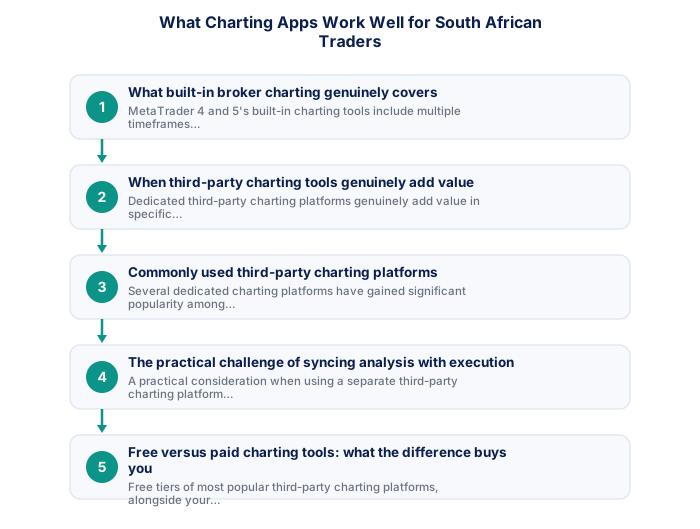
- What built-in broker charting genuinely covers
- When third-party charting tools genuinely add value
- Commonly used third-party charting platforms
- The practical challenge of syncing analysis with execution
- Free versus paid charting tools: what the difference buys you
- A practical recommendation for most South African retail traders
1. What built-in broker charting genuinely covers
MetaTrader 4 and 5's built-in charting tools include multiple timeframes ranging from very short-term minute charts to long-term monthly views, a substantial built-in library of standard technical indicators (moving averages, RSI, MACD, and many others), drawing tools for marking support and resistance levels and trendlines directly on charts, and the ability to save customised chart templates and layouts for quick, consistent reapplication across different instruments.
For the substantial majority of retail traders following typical strategy and technical analysis approaches, this built-in charting capability is genuinely sufficient without requiring any additional, separate charting software, the practical gap between built-in broker charting and dedicated third-party charting platforms is considerably smaller than marketing for premium third-party tools sometimes implies.
It's worth actually exploring your specific platform's full built-in feature set deliberately, rather than assuming its capabilities based on general reputation, many traders underuse genuinely capable built-in tools simply because they never took time to explore beyond the most obvious, default features.
2. When third-party charting tools genuinely add value
Dedicated third-party charting platforms genuinely add value in specific situations: when you want to simultaneously compare price action across many different, unrelated asset classes in a single unified interface (rather than switching between different instrument charts within your broker's platform individually), when you want access to a particularly extensive library of community-created custom indicators and chart layout templates beyond what's built into standard MetaTrader, or when a specific platform's particular visual design and customisation options genuinely appeal to your personal analytical workflow preferences in ways that meaningfully improve your actual practical experience.
It's worth being honest with yourself about whether a specific desired feature from a third-party platform reflects a genuine, practical analytical need that will meaningfully improve your actual trading decisions, versus simply being drawn to additional features or a more polished interface without a clear, specific practical use case, the latter motivation often leads to unnecessary added complexity and cost without genuinely improving trading outcomes.
- Quantifiable rules remove subjectivity
- Backtestable on historical data
- Works consistently when edge is genuine
- Clear entry/exit criteria reduce hesitation
- Past performance does not guarantee future results
- Risk of overfitting to historical data
- Market regimes change, edges decay
- Requires discipline through drawdown periods
- Price and volume patterns
- Works on any liquid instrument
- Faster to learn basics
- Ignores fundamental context
- Economic and financial data
- Better for longer timeframes
- Deeper knowledge required
- Ignores entry precision
It's worth writing down the specific, concrete limitation you've encountered before seeking out a third-party alternative, rather than switching tools based on a vague sense that something better might exist, a clearly identified gap gives you a genuine basis for evaluating whether a specific alternative actually solves it.
3. Commonly used third-party charting platforms
Several dedicated charting platforms have gained significant popularity among retail traders globally, including South African traders, generally offering web-based access (often with companion mobile apps), social features allowing traders to share and discuss specific chart analyses publicly, and typically a tiered free-to-paid model where basic charting functionality is available for free, with more advanced features (additional indicators, multiple simultaneous charts, removal of advertising) available through paid subscription tiers.
These platforms can typically display live or near-live pricing data for a very wide range of instruments across forex, commodities, indices, and individual shares globally, including South African-relevant instruments like USD/ZAR and the JSE Top 40, making them genuinely useful as a broad market-monitoring and analysis tool, separate from and complementary to your actual trade execution, which still happens through your broker's own platform.
- Written entry/exit rules with zero ambiguity
- Backtested on minimum 3 years of data
- Walk-forward tested on out-of-sample data
- SA-specific events included in test period
- Maximum drawdown within personal tolerance
- 100+ live demo trades with consistent performance
It's worth testing any candidate platform's free tier thoroughly before considering a paid upgrade, confirming the platform genuinely addresses your specific identified need, rather than simply offering an impressive general feature list, protects you from paying for capability you won't actually use.
4. The practical challenge of syncing analysis with execution
A practical consideration when using a separate third-party charting platform alongside your broker's own execution platform is the lack of direct, automatic synchronisation between the two, analysis and chart markings made on a third-party platform don't automatically transfer to or appear within your broker's platform, meaning you'll typically need to manually translate insights from your charting tool into actual order placement decisions within your broker's separate platform.
This isn't a major practical obstacle for most trading styles given the typically lower-frequency monitoring and decision-making cadence of swing and position trading, but it's worth factoring into your workflow design, particularly if you're considering a higher-frequency trading style where rapid translation between analysis and execution across two separate platforms might introduce meaningful friction or delay into your actual trading process.
| Win rate | 1:1 RR | 1.5:1 RR | 2:1 RR |
|---|---|---|---|
| 40% | Losing | Break even | Profitable |
| 50% | Break even | Profitable | Profitable |
| 55% | Profitable | Profitable | Profitable |
| 60% | Profitable | Profitable | Profitable |
It's worth being especially mindful of this synchronisation gap if you trade a faster-paced style, the manual transfer between analysis and execution platforms that's a minor inconvenience for swing trading can become a genuinely meaningful friction point for day trading or scalping.
5. Free versus paid charting tools: what the difference buys you
Free tiers of most popular third-party charting platforms, alongside your broker's own free built-in charting, genuinely cover the core analytical needs of most retail traders without requiring any paid subscription. Paid tiers typically access conveniences like viewing multiple charts simultaneously on screen, accessing a wider range of advanced or exotic technical indicators beyond the most commonly used standard set, removing advertising from the free-tier interface, and sometimes faster or more granular real-time data refresh rates.
Whether these specific paid-tier conveniences genuinely justify their cost depends entirely on your specific trading style and whether you've identified a concrete, practical need for the particular features being unlocked, starting with free tools and only upgrading to paid options once you've identified a clear, specific practical limitation you're genuinely running into is generally a more sound approach than defaulting to paid tools preemptively without first establishing this concrete, demonstrated need.
6. A practical recommendation for most South African retail traders
For most South African retail traders, particularly those newer to trading or following swing and position trading approaches, starting with your broker's own built-in charting (whether MetaTrader or a proprietary platform) is the most practical, lowest-friction starting point, since it requires no additional setup, no separate account, and keeps your analysis and execution within a single, unified platform.
If, after gaining genuine trading experience, you identify a specific, concrete limitation in your broker's built-in charting that's genuinely affecting your analysis quality or workflow, rather than simply being drawn to a more visually appealing alternative interface, exploring a free tier of a popular third-party charting platform specifically to address that identified limitation is a reasonable, measured next step, rather than adding tool complexity preemptively without first establishing this clear, demonstrated practical need.
Standalone apps like TradingView offer more flexibility and independence.
Platform-native charts allow direct order entry from the same interface. Standalone charting apps like TradingView offer more flexibility and independence from any specific broker.
★ Why It Matters
Worth testing specifically before committing to a third-party app: check whether its USD/ZAR and JSE data feed matches your actual broker's prices closely, some charting tools source emerging-market data from providers with noticeably different pricing than your broker's own feed.
✕ Common mistakes
- Paying for advanced features you don't actually use. Many traders' needs are met by free, built-in platform charting.
- Not testing a new charting app against your broker's prices before relying on it. A quick comparison avoids confusing discrepancies later.
- Switching tools frequently instead of mastering one platform's specifics. Familiarity with one tool's quirks often matters more than the tool itself.
Can I use MetaTrader 4 or 5 with any FSCA-regulated broker?
Most FSCA-regulated brokers support MT4 and/or MT5. Some offer proprietary platforms as well. Confirm platform availability with your specific broker before opening an account if MetaTrader compatibility is essential to your setup.
Does the platform change this?
MT5 adds instruments, timeframes and a different programming language; MT4 has the larger ecosystem of existing tools. MT4 against MT5 covers which suits whom.
Key Takeaways
- MetaTrader's built-in charting and broker-provided platforms cover most retail needs. Dedicated third-party charting apps add value for specific use cases.
- MetaTrader's built-in charting tools, alongside most broker-provided platform charting, cover the core technical analysis needs of the large majority of retail traders.
- Dedicated third-party charting apps add value for specific cases like cross-asset comparison or especially extensive indicator libraries.
- What built-in broker charting genuinely covers.
- When third-party charting tools genuinely add value.
Frequently asked follow-up questions
Can I use a free third-party charting app exclusively without ever opening my broker's platform?
You can conduct analysis entirely on a separate charting app, but you'll still need to switch to your broker's own platform specifically to place and manage actual trades, since execution happens through the broker's system regardless of where your analysis occurs.
Do paid charting subscriptions improve actual trading results?
Not directly or automatically, better charting tools can support more thorough analysis, but actual trading results depend much more on disciplined strategy execution and risk management than on the specific charting software used.
Is it worth learning multiple charting platforms?
Generally not necessary for most retail traders; developing deep familiarity and consistency with one well-understood charting tool tends to be more valuable than spreading attention across multiple different platforms without deep proficiency in any one.
