i Short answer
A position size calculator automates the risk-based sizing calculation, taking your account balance, risk percentage, and stop-loss distance as inputs.
This removes manual calculation errors and speeds up correctly sizing each trade before execution.
📋 ON THIS PAGE
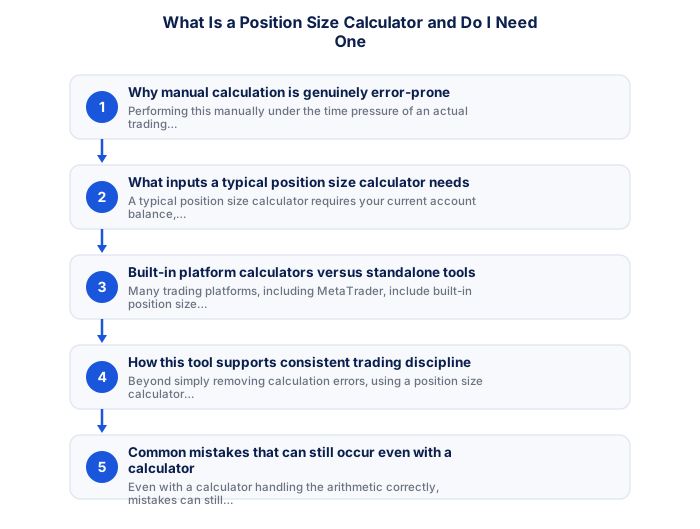
- Why manual calculation is genuinely error-prone
- What inputs a typical position size calculator needs
- Built-in platform calculators versus standalone tools
- How this tool supports consistent trading discipline
- Common mistakes that can still occur even with a calculator
- Do you genuinely need one, or can you calculate manually
- A worked example at current rand levels
1. Why manual calculation is genuinely error-prone
Correctly sizing a position requires combining your account balance, risk percentage, stop-loss distance, and the specific instrument's pip or point value into a single calculation. Performing this manually under the time pressure of an actual trading decision introduces genuine risk of simple arithmetic errors, particularly for traders newer to this calculation or trading during the compressed timeframes of day trading.
Even a small calculation error can meaningfully distort your actual risk exposure relative to your intended risk percentage, undermining the consistent, disciplined risk management this calculation is specifically designed to support in the first place.
2. What inputs a typical position size calculator needs
A typical position size calculator requires your current account balance, your chosen risk percentage per trade (commonly 1-2%), your intended stop-loss distance in pips or points for the specific trade, and the specific instrument being traded (since pip or point value varies by instrument). Entering these inputs produces the correct lot size, removing the need for manual calculation.
3. Built-in platform calculators versus standalone tools
Many trading platforms, including MetaTrader, include built-in position size calculation functionality directly within the order placement interface, while standalone position size calculator tools also exist as separate web tools or spreadsheet templates, sometimes offering additional features like saving common calculations for repeated use across similar trade setups.
Either option achieves the same fundamental purpose. The specific choice between built-in and standalone tools is largely a matter of personal workflow preference rather than one being inherently superior to the other for most practical purposes.
4. How this tool supports consistent trading discipline
Beyond simply removing calculation errors, using a position size calculator consistently for every single trade reinforces broader discipline, making correct position sizing a routine, automatic step in your trading process rather than something occasionally skipped or estimated roughly when feeling rushed or overconfident, connecting to overconfidence bias.
5. Common mistakes that can still occur even with a calculator
Even with a calculator handling the arithmetic correctly, mistakes can still occur through incorrect inputs, entering an outdated account balance after recent trades have changed it, miscounting the actual stop-loss distance from the chart, or selecting the wrong instrument within the calculator if trading multiple pairs. Double-checking these specific inputs before relying on the calculator's output remains an important habit, since a calculator only produces correct results from correct inputs.
6. Do you genuinely need one, or can you calculate manually
While experienced traders sometimes develop sufficient familiarity to perform quick mental approximations for routine, similar trade setups, a calculator remains genuinely valuable for ensuring precision, particularly for newer traders still building this calculation fluency, or for any trade involving an unfamiliar instrument or unusual stop-loss distance where mental approximation becomes less reliable.
Given that most calculators are freely available, either built into your trading platform or as simple standalone tools, the minimal effort required to use one consistently makes this a low-cost, high-value habit worth adopting regardless of your specific experience level.
Without a position size calculator, lot sizes tend to be arbitrary and inconsistent. With one, every trade risks precisely the same percentage of your account balance, building genuine discipline.
★ Why It Matters
Worth testing: deliberately enter a stop-loss distance you know is wrong (too tight or too wide) and see whether the calculator's suggested size still seems sensible to you. A quick sanity-check habit like this catches input errors before they become an oversized live position.
✕ Common mistakes
- Skipping a position size calculator and estimating sizing manually. Manual estimation under time pressure is more error-prone.
- Using a generic calculator without confirming it suits your instrument type. Some calculators are built specifically for forex and don't translate directly to other asset classes.
- Assuming a single calculation remains valid indefinitely. Recalculating as your account balance or stop-loss distance changes keeps sizing accurate.
Website owners can embed this calculator directly: the position size calculator widget is free for any site, with no sign-up and no tracking of your readers.
A worked example at current rand levels
The case for a position size calculator is easiest to make by showing what happens without one, using numbers from late September 2026.
A trader with R30,000 decides to risk 1% on a USD/ZAR trade, entering at 16.2800 with a stop at 16.1800. That is R300 of risk and a 100-pip stop. At R10 per pip per standard lot, the correct size is 0.3 standard lots.
Guessing usually produces a round number instead. One standard lot on that stop risks R1,000, which is 3.3% of the account rather than 1%. Three consecutive losses at that size cost R3,000, or 10% of the account, against R900 at the correct size. Neither outcome says anything about whether the strategy works.
The arithmetic is not difficult, which is why traders think they can skip it. What makes the calculator worth using is that all three inputs change on every trade. The account balance moves, the stop distance depends on the chart rather than a fixed number of pips, and on pairs not quoted in rand the pip value depends on a conversion rate that moves daily.
The rate environment reinforces the point. With the repo rate at 7.25% after the September increase, holding leveraged rand positions overnight costs more than it did, so a position that is oversized is also more expensive to keep open while it recovers.
| Account R30,000, 100-pip stop | Risk |
|---|---|
| 0.3 lots, correct | R300, 1.0% |
| 0.5 lots | R500, 1.7% |
| 1.0 lot | R1,000, 3.3% |
| 2.0 lots | R2,000, 6.7% |
See also: What Is a Risk of Ruin Calculator and Why Might I Use One?.
Frequently asked follow-up questions
Are position size calculators free to use?
Most are free, whether built into trading platforms or available as standalone web tools, making cost rarely a barrier to adopting this practice.
Can I use the same calculator for different instruments?
Most calculators support selecting different instruments, automatically adjusting the underlying pip or point value calculation accordingly.
Does using a calculator guarantee profitable trading?
No, it only ensures correct, consistent position sizing relative to your chosen risk parameters. It has no bearing on whether your underlying strategy itself is genuinely sound and profitable.
Does this change my margin call risk?
A stop is per position; margin is per account. Several positions each with a sensible stop can still combine into a margin level that breaks. margin calculator page covers it in full.
Could this cost me more than my deposit?
The deposit is the floor where protection applies. Where it does not, a gap can push the account into a debit the broker may pursue. Leverage against margin in practice covers it in full.
