i Short answer
Two-factor authentication adds a second, independent verification step beyond your password, typically a time-limited app code or SMS.
This significantly reduces unauthorised access risk, since an attacker would still need this second factor even with your password.
📋 ON THIS PAGE
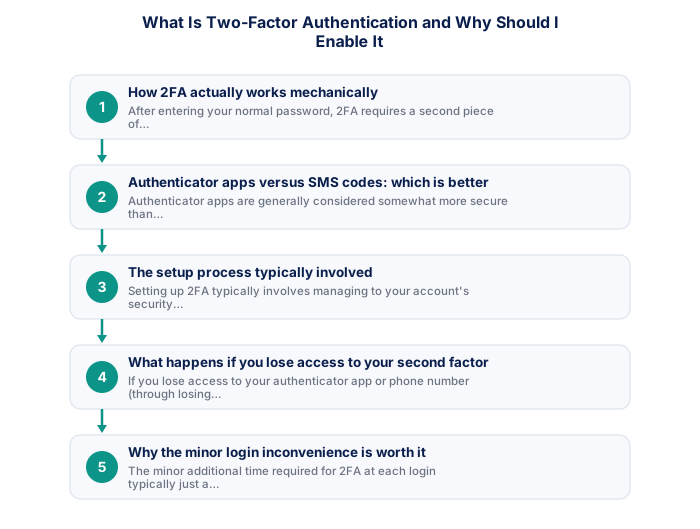
1. How 2FA actually works mechanically
After entering your normal password, 2FA requires a second piece of verification, typically a numeric code that changes every 30 to 60 seconds, generated either by a dedicated authenticator app installed on your phone (which generates these codes using a shared secret established during setup, without requiring an internet connection itself) or sent to your phone via SMS at the moment of login.
Because this second factor requires physical possession of your specific phone (for an authenticator app) or access to your specific phone number (for SMS), an attacker who has somehow obtained your password through some other means still cannot complete the login without also having this separate, physical access to your specific device or phone number.
See also: What Is the FAIS Act and How Does It Relate to Trading?
See also: What Is an Account Base Currency and Can I Change It?
See also: How Does Load Shedding Affect My Trading Day?
See also: The JSE All Share Index vs the Top 40
See also: How Does SA's BRICS Membership Affect the Rand?
See also: How Do Remittances Affect the Rand and Current Account?
2. Authenticator apps versus SMS codes: which is better
Authenticator apps are generally considered somewhat more secure than SMS-based codes, since SMS messages can, in certain sophisticated attack scenarios, potentially be intercepted or redirected through techniques like SIM swapping, where an attacker convinces a mobile carrier to transfer your phone number to a device they control. Authenticator apps, generating codes locally on your device without transmitting anything over the cellular network, avoid this specific vulnerability.
That said, SMS-based 2FA remains considerably more secure than having no second factor at all, and for most everyday security purposes represents a meaningful, worthwhile improvement, use whichever option your specific broker supports, with a preference for an authenticator app where this choice is genuinely available to you.
- FSCA-regulated broker verified at fsca.co.za
- Demo account tested for minimum 60 days
- Trading plan written: entry, exits, position sizing
- Risk per trade defined (1-2% of account)
- Backup internet connection tested for load shedding
- Tax implications understood
3. The setup process typically involved
Setting up 2FA typically involves managing to your account's security settings, selecting the 2FA or two-step verification option, and following the broker's specific setup flow, for an authenticator app, this commonly involves scanning a QR code displayed on screen using your chosen authenticator app, which then begins generating the synchronised codes needed for future logins. For SMS-based 2FA, this typically just involves confirming your phone number receives a test code successfully.
This setup process typically takes only a few minutes and, once completed, becomes a routine, quick additional step at each subsequent login, the minor time investment for setup is genuinely minimal relative to the meaningful security benefit it provides ongoing.
4. What happens if you lose access to your second factor
If you lose access to your authenticator app or phone number (through losing your phone, for example), most brokers provide a recovery process, often involving identity verification through alternative means, to regain account access, this process typically takes longer and requires more verification effort than a normal login specifically because it needs to confirm you're genuinely the account owner despite the missing second factor, which is itself a reasonable security trade-off given what this recovery process is protecting against.
Many platforms also provide backup codes during initial 2FA setup, intended for this kind of recovery scenario, storing these backup codes securely (not simply as an easily-accessible note on the same phone that might be lost) provides a more straightforward recovery path than relying solely on the broker's full identity verification recovery process if this situation arises.
| Item | Detail |
|---|---|
| Regulator | FSCA, fsca.co.za |
| Exchange control | SARB, resbank.co.za |
| Tax authority | SARS, sars.gov.za |
| JSE hours | 09:00-17:00 SAST Mon-Fri |
| Best forex session | 15:00-17:00 SAST |
| CGT annual exclusion | R50,000 (individuals) |
5. Why the minor login inconvenience is genuinely worth it
The minor additional time required for 2FA at each login, typically just a few extra seconds to retrieve and enter the generated code, is minimal compared to the significant security benefit it provides, particularly given the genuine financial stakes involved in trading account security. Most traders who initially find this extra step mildly inconvenient quickly adapt to it as a routine, almost unnoticed part of their normal login process.
Weighing this minor, quickly-adapted-to inconvenience against the substantially reduced risk of unauthorised account access and potential financial harm makes 2FA one of the clearest, most favourable security trade-offs available to any trader, regardless of their specific trading style or account size.
6. 2FA as one layer within your broader account security
2FA is one important layer within a complete security approach that also includes using unique, strong passwords, recognising and avoiding phishing attempts, and maintaining general device-level security. None of these individual measures alone provides complete protection, but together they form a considerably more sound overall security posture than relying on any single measure in isolation.
Enabling 2FA specifically, given how directly and significantly it addresses the most common real-world account compromise scenario, a leaked or guessed password used without this additional protective layer, makes it one of the highest-priority, most impactful individual security steps within this broader, complete security approach.
With 2FA, a stolen password alone is insufficient to access the account.
Without 2FA, a stolen password gives immediate full access to your trading account trading account. With 2FA enabled, an attacker also needs physical access to your device or authenticator app, dramatically reducing the risk.
★ Why It Matters
Something worth checking : use an authenticator app rather than SMS-based 2FA where your broker offers the choice, SMS-based codes are vulnerable to a specific, documented attack called SIM swapping that app-based authentication isn't exposed to in the same way.
✕ Common mistakes
- Not enabling 2FA at all for convenience. This is one of the simplest, highest-impact security steps available to you.
- Assuming a strong password alone is sufficient protection. 2FA adds a meaningfully different layer that a password alone can't provide.
- Treating 2FA setup as a one-time task without verifying it's genuinely active. Confirming it's properly enabled avoids a false sense of security.
Key Takeaways
- Two-factor authentication adds a second verification step beyond your password, significantly reducing unauthorised account access risk. Learn how to set it up.
- Two-factor authentication adds a second, independent verification step beyond your password, typically a time-limited app code or SMS.
- This significantly reduces unauthorised access risk, since an attacker would still need this second factor even with your password.
- How 2FA actually works mechanically.
- Authenticator apps versus SMS codes: which is better.
See also: Can I Use the Same Trading Account on Multiple Devices? and What Is FICA and Why Does My Broker Need My ID?.
Frequently asked follow-up questions
Does enabling 2FA slow down my trading if I need to act quickly?
The additional time required is typically just a few seconds at login; once logged in for a session, you generally don't need to re-enter 2FA codes repeatedly for subsequent actions within that same session.
Can I use the same authenticator app for multiple accounts, including non-trading ones?
Yes, most authenticator apps support managing codes for multiple different accounts and services simultaneously, making one app sufficient for all your various 2FA-enabled accounts.
Is 2FA mandatory with FSCA-regulated brokers?
This varies by specific broker policy; while not universally mandatory across all regulated brokers, enabling it where available is strongly advisable regardless of whether it's specifically required.
