i Short answer
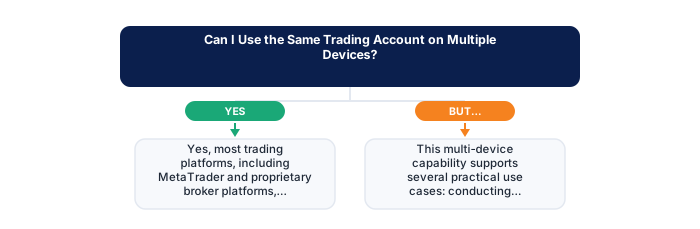
Yes, most trading platforms support simultaneous login across desktop, mobile, and web using the same account credentials.
Real-time synchronisation means any action taken on one device, like opening a position or adjusting a stop-loss, reflects immediately and consistently across all other logged-in devices.
📋 ON THIS PAGE
- How cross-device synchronisation actually works
- Practical benefits of multi-device access
- Potential confusion this kind of access can create
- Security considerations specific to multiple devices
- Choosing a primary device for your main analysis work
- What to do if different devices briefly show different information
1. How cross-device synchronisation actually works
Your account, balance, open positions, order history, margin levels, lives on your broker's servers rather than on any individual device. Every device you log in from connects to those servers and displays the same real-time state of your account. A position opened from your desktop is immediately visible on your phone; an order placed from your phone appears instantly in your desktop session.
This server-centric architecture is standard across FSCA-regulated platforms, and it's exactly what makes a mobile-desktop hybrid routine genuinely practical. The synchronisation happens in milliseconds rather than after a deliberate sync action, the account state is always current regardless of which device was last used.
It's worth appreciating this architecture as a reliability feature rather than just a convenience. A single device failure, phone battery dying, laptop needing a restart, home internet going down, doesn't compromise your ability to access and manage your positions. Any device with your login credentials and internet access gives you full account access.
The only practical limit on multi-device access is your broker's simultaneous session policy. Some platforms permit only one active session at a time and will log out the other device when you log in from a new one. Checking this before you rely on simultaneous access, for example, monitoring on a phone while also reviewing on a laptop, prevents discovering a session conflict at an inconvenient moment.
2. Practical benefits of multi-device access
This flexibility supports several genuinely useful habits: detailed chart analysis and planning on a desktop where screen real estate helps, monitoring and quick order adjustments on mobile when you're away from your desk, and reviewing open positions on a tablet during an evening session without needing to be at your desk.
That practical flexibility matters more than it sounds for anyone trying to fit trading around a real schedule rather than working from a single fixed location. The working trader who does primary analysis in the evening on a laptop but checks positions during the day on a phone has a more sustainable routine than one who either misses daytime monitoring entirely or feels compelled to carry a laptop everywhere.
- South African ID or valid passport
- Proof of residential address dated within 3 months
- Proof of bank account ownership
- Selfie or photo for biometric verification (some brokers)
- Source of funds declaration if depositing above threshold
Choose an FSCA-regulated broker
Verify the FSP number is current at fsca.co.za.
Submit FICA documents
SA ID or passport, recent proof of address, and bank account proof.
Fund via EFT
Make the initial deposit from your South African bank account in ZAR.
Open demo first
Practice on demo until you are confident in the platform and strategy.
Start with minimum capital
Begin with an amount you can afford to lose while building experience.
It's worth structuring which specific tasks belong to which device deliberately rather than letting the flexibility become a source of disorganisation. Analysis and new position entry on desktop; monitoring and simple order modification on mobile; review sessions on whichever device is available, a deliberate structure reduces the risk of making a significant decision from a device whose interface isn't well-suited to that decision.
Multi-device access also provides a practical backup for platform unavailability. If your broker's desktop application goes down for maintenance or encounters a technical issue, mobile access to the same account maintains your ability to monitor and manage positions without interruption.
3. Potential confusion this kind of access can create
The flip side of smooth multi-device access is a small risk of confusion: forgetting you already adjusted a stop-loss on mobile earlier, the session delay between what you see on one device and what you see on another immediately after a change, or the general risk of losing track of which device holds the most recent version of a pending decision.
A quick habit fixes most of this: glance at the account's current state before any significant action, regardless of which device you're operating from. Confirming that the stop-loss is where you expect it to be, and that no unexpected positions are open, takes seconds and eliminates the confusion that multi-device access can occasionally create.
This quick status check is worth treating as a non-negotiable habit specifically before placing or modifying any order, in the same way that confirming a stop-loss is set before leaving a position unmonitored is a non-negotiable habit. The cost is negligible; the protection against acting on a stale or incorrect understanding of your account state is real.
During periods of active position management, when you're making multiple adjustments across a short window, maintaining clarity about which changes have been confirmed versus which are still pending is worth extra attention. The real-time synchronisation is reliable, but the human memory of which actions have gone through is less reliable, particularly when switching between devices quickly.
4. Security considerations specific to multiple devices
Every device you log in from is a potential access point to your trading account. If one gets compromised through malware, theft, or unauthorised access, your account and trading capital are potentially exposed. This makes device security not just a personal hygiene matter but a direct financial security concern.
If you sell, lose, or stop using a device that has active account access, formally logging out of your broker account on that device, and changing your account password if there's any doubt about whether the log-out was complete, is the secure approach. Relying on a session timeout to handle this passively is less reliable than actively terminating the session.
| Rejection reason | Fix |
|---|---|
| Address proof older than 3 months | Get a recent utility bill or bank statement |
| Name mismatch between documents | Use documents with exactly matching full name |
| Poor quality scan | Retake with good lighting, all corners visible |
| PO Box address | Brokers require physical residential address only |
It's worth periodically reviewing which devices currently have active access to your account. Most platforms show this in account settings, often labelled as 'active sessions' or 'connected devices'. Reviewing this list every few months and revoking sessions you no longer use keeps your active access points to a minimum.
Two-factor authentication adds a meaningful security layer that applies regardless of device. If your broker offers 2FA, enabling it means that accessing your account from any new device, even with your correct credentials, requires a second verification step. This significantly reduces the risk from compromised passwords alone.
5. Choosing a primary device for your main analysis work
Despite multi-device flexibility, most traders find it useful to designate one primary device, typically a desktop or laptop, for serious analytical work and new position planning. The screen size advantage and the precision of mouse-and-keyboard interaction matter most when you're doing the careful analysis that forms the basis of a trade decision.
That deliberate split tends to produce a more organised routine than device-switching without a clear structure. Primary analysis on the device that supports it best, monitoring and management on mobile, review sessions wherever is convenient, this kind of explicit device role assignment reduces the cognitive overhead of deciding which device to use for each task.
This deliberate structure is worth revisiting occasionally as your circumstances change. The device role assignments that made sense when you worked from home full-time may need adjustment when you shift to an office-based schedule, when your trading style evolves to a higher or lower monitoring frequency, or when you add or replace devices in your regular setup.
For traders who genuinely have only a mobile device and no access to a desktop or laptop, the analysis constraint is real and worth acknowledging honestly. Mobile-only trading is possible, but it favours lower-frequency styles and simpler analytical approaches. Knowing this constraint going in allows you to choose a trading approach that's compatible with your actual tools rather than one that requires capabilities you don't have.
6. What to do if different devices briefly show different information
Occasionally, a brief sync delay, usually seconds, means two devices show slightly different information right after an action, before the update has fully propagated across sessions. This is a normal technical artefact of real-time synchronisation, not an error. The information on both devices converges to the same state within moments.
If a mismatch persists longer than a few seconds, or looks like more than simple propagation lag, contacting support directly is the right next step rather than taking further action based on potentially inconsistent information. Acting on a discrepancy without understanding its cause can compound rather than resolve it.
One practical risk worth keeping in mind: a position opened on your phone and adjusted from your laptop a few minutes later might show different states briefly if you look at both devices before the synchronisation has fully completed. The safe habit is to confirm the current state of any position you're about to act on from a single device before taking action, rather than acting from a cross-device read.
✕ Common mistakes
- Adjusting the same position from two devices in quick succession. Sync delays can occasionally cause brief mismatches.
- Leaving an account logged in on a shared or public device. This is a basic but common security oversight.
- Assuming all devices show identical real-time data. Connection quality can vary between devices in the moment.
- Not enabling device-level security like biometric login. See biometric login as a simple additional safeguard.
Key Takeaways
- Yes, most platforms support simultaneous access across desktop, mobile, and web, with real-time synchronisation of your account and open positions.
- Yes, most trading platforms support simultaneous login across desktop, mobile, and web using the same account credentials.
- Real-time synchronisation means any action taken on one device, like opening a position or adjusting a stop-loss, reflects immediately and consistently across all other logged-in devices.
- How cross-device synchronisation actually works.
- Practical benefits of multi-device access.
Frequently asked follow-up questions
Is there a limit to how many devices can access my account simultaneously?
This varies by broker and platform; most allow several simultaneous connections, though checking your specific platform's terms clarifies any limits that might apply to your situation.
Does using multiple devices cost extra?
Generally no, multi-device access is typically included as a standard account feature without additional charges, though this is worth confirming with your specific broker.
Should I log out of devices I'm not actively using?
This is a reasonable security practice, particularly for devices you don't use regularly or that might be accessed by others.
