i Short answer
Trading alerts notify you, typically via push notification, when a specific instrument's price reaches a level you've predetermined in advance.
This lets you monitor conditions worth knowing about without requiring constant, continuous chart-watching.
📋 ON THIS PAGE
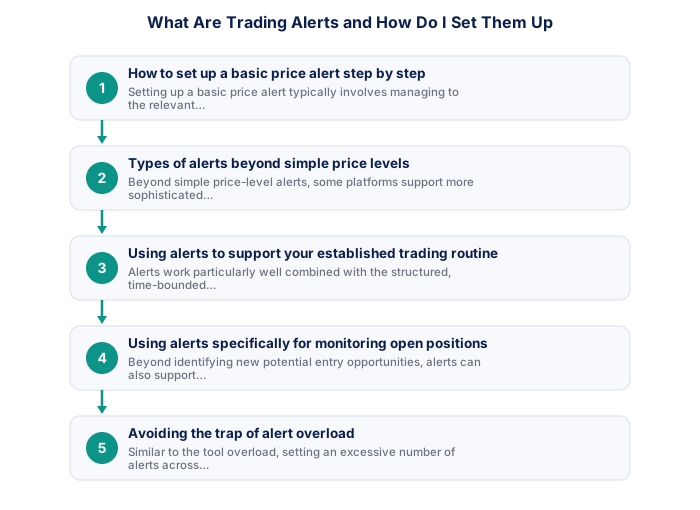
1. How to set up a basic price alert step by step
Setting up a basic price alert typically involves managing to the relevant instrument's chart within your trading platform, selecting an alert or notification option (often accessible by right-clicking on the chart at your desired price level, or through a dedicated alerts menu), specifying the exact price level that should trigger the notification, and confirming how you'd like to be notified (push notification, email, or sometimes SMS depending on your specific platform's supported options).
Once configured, the alert remains active until triggered or manually removed, continuously monitoring the live price feed in the background without requiring any further action from you until the specified condition is actually met.
It's worth testing a new alert with a genuinely close, quickly-reached price level first, rather than trusting the setup blindly for a distant, important level, confirming the alert actually triggers and notifies you correctly builds confidence before relying on it for a genuinely significant trading decision.
2. Types of alerts beyond simple price levels
Beyond simple price-level alerts, some platforms support more sophisticated alert types, for example, alerts based on specific technical indicator conditions, such as RSI crossing a specific threshold, or alerts tied to scheduled economic calendar events, notifying you ahead of upcoming high-impact news releases relevant to your traded instruments.
Checking your platform's full range of supported alert types, rather than assuming only basic price-level alerts are available, can reveal additional useful functionality relevant to your particular strategy and analytical approach.
- FSCA-regulated broker verified at fsca.co.za
- Demo account tested for minimum 60 days
- Trading plan written: entry, exits, position sizing
- Risk per trade defined (1-2% of account)
- Backup internet connection tested for load shedding
- Tax implications understood
- Full charting and analysis
- Best for trade entry
- Multi-monitor support
- More order types available
- Monitor and manage on the go
- Load shedding backup use
- Push price alerts
- Limited charting tools
It's worth exploring your specific platform's full alert capabilities deliberately at some point, rather than only ever using the most basic price-level option, many traders underuse genuinely useful alert types simply because they never took the time to discover them.
3. Using alerts to support your established trading routine
Alerts work particularly well combined with a structured, time-bounded trading routine. Rather than continuously monitoring charts throughout the day hoping to catch a specific technical level being reached, setting an alert at that level identified during your structured analysis session lets you step away confidently, trusting the alert to notify you if and when that specific condition is actually met.
This directly supports the disciplined, limited-time-window approach particularly suited to traders balancing trading with full-time work or other significant commitments, since you're not sacrificing awareness of important price levels simply because you're not actively watching charts continuously throughout the day.
It's worth setting these alerts deliberately at the end of each dedicated analysis session, as a specific, final step, rather than as an afterthought, treating alert-setting as a genuine part of your structured routine reinforces the discipline this approach depends on.
4. Using alerts specifically for monitoring open positions
Beyond identifying new potential entry opportunities, alerts can also support monitoring existing open positions, for example, setting an alert at a level approaching your stop-loss or take-profit, giving you advance notice before the position actually closes, which some traders find useful for psychological preparation or for considering whether any final adjustment might be warranted before automatic execution occurs.
This use case complements, rather than replaces, predetermined stop-loss and take-profit orders. The orders themselves still execute automatically regardless of whether you receive or act on any associated alert, providing the same structural safeguard even if you happen to miss or ignore the supplementary alert notification itself.
| Item | Detail |
|---|---|
| Regulator | FSCA, fsca.co.za |
| Exchange control | SARB, resbank.co.za |
| Tax authority | SARS, sars.gov.za |
| JSE hours | 09:00-17:00 SAST Mon-Fri |
| Best forex session | 15:00-17:00 SAST |
| CGT annual exclusion | R50,000 (individuals) |
5. Avoiding the trap of alert overload
Similar to accumulating excessive indicators or information sources, setting an excessive number of alerts across many different instruments and conditions can produce a kind of notification fatigue, where the sheer volume of incoming alerts becomes difficult to process meaningfully, potentially causing you to miss or dismiss genuinely important notifications among a flood of less significant ones.
Being deliberate and selective about which conditions genuinely warrant an alert, tied to your predetermined strategy criteria rather than alerting on every conceivable technical level or condition, helps maintain the genuine, practical value alerts provide without this kind of overload undermining their usefulness.
It's worth periodically reviewing and clearing out old, no-longer-relevant alerts, similar to how you might periodically review and update your watchlist, discussed elsewhere on this site, an accumulation of outdated alerts creates the same kind of noise this section warns against.
6. Alerts versus automated orders: an important distinction
It's worth being clear about an important distinction: an alert simply notifies you that a condition has been met, requiring you to then take whatever action you deem appropriate, while an automated order (like stop-loss and take-profit orders) executes a specific action automatically without requiring your active intervention at all. Confusing these two, assuming an alert alone provides the same protective function as an actual stop-loss order, could leave a position genuinely unprotected if you happen to miss or can't act on a notification promptly.
For anything genuinely critical to your risk management, like limiting losses on an open position, relying on actual automated orders rather than alerts alone is the more reliable approach. Alerts are best understood as a useful supplementary tool for awareness and monitoring, not a substitute for the structural protection automated orders specifically provide.
Price alerts trigger precisely when a specific level is reached, while push notifications handle general account updates. Together they reduce unnecessary chart-watching and platform check-ins.
★ Why It Matters
Worth setting up deliberately: a price alert at the level just before your actual entry trigger, not at the trigger itself. This gives you a few minutes' notice to be at your screen and ready, rather than reacting to an alert that means the entry moment has already arrived.
✕ Common mistakes
- Setting alerts exactly at your entry trigger rather than slightly before. This leaves no time to be ready when the alert actually fires.
- Creating so many alerts that important ones get lost in the noise. Excess alerts defeat the purpose of focused, useful notification.
- Not removing alerts once they're no longer relevant. Stale alerts clutter decision-making over time.
- Treating an alert firing as an automatic signal to trade. It should prompt analysis, not bypass it.
Key Takeaways
- Trading alerts notify you when price reaches a specific level, supporting disciplined monitoring without requiring constant chart-watching.
- Trading alerts notify you, typically via push notification, when a specific instrument's price reaches a level you've predetermined in advance.
- This lets you monitor conditions worth knowing about without requiring constant, continuous chart-watching.
- How to set up a basic price alert step by step.
- Types of alerts beyond simple price levels.
See also: What Tools Do South African Traders Actually Use?.
Frequently asked follow-up questions
Do alerts work even when the trading app is closed?
This depends on your platform and device settings. Most modern mobile apps support background push notifications even when the app itself isn't actively open, though checking your device's notification settings ensures this works as expected.
Can I set alerts for instruments I don't currently have an open position in?
Yes, alerts are commonly used to monitor for potential new entry opportunities on instruments you're watching but haven't yet traded.
Is there a limit to how many alerts I can set?
This varies by platform, most allow a reasonably generous number, though being selective rather than maximising alert quantity generally serves you better regardless of any specific technical limit.
