i Short answer
The core defences are strong, unique passwords, two-factor authentication wherever your broker supports it, and caution around phishing attempts and unsecured public WiFi.
Most real-world account compromises stem from these basic, preventable vulnerabilities rather than sophisticated attacks on the broker's own systems.
📋 ON THIS PAGE
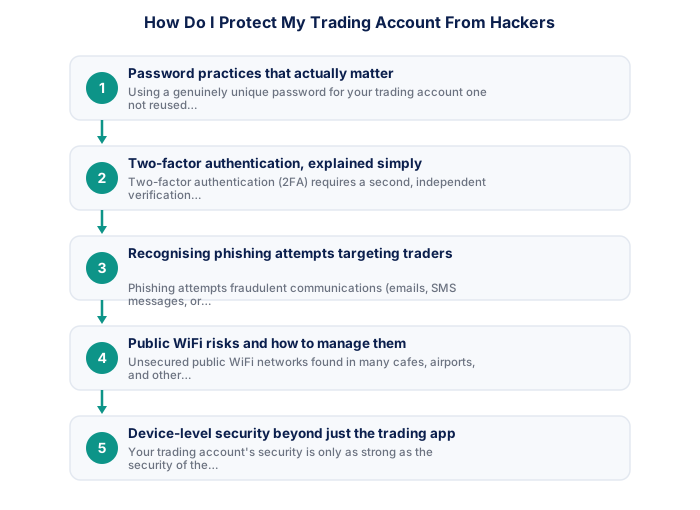
1. Password practices that actually matter
Using a genuinely unique password for your trading account, one not reused across any other website or service, is among the single most impactful security practices available, since a meaningful proportion of account compromises across many different types of online services stem from credential reuse, where a password leaked from an unrelated, less secure website gets tried successfully against other accounts, including financial accounts, using the same login email and password combination.
Using a password manager to generate and securely store unique, complex passwords for each of your accounts, including your trading account specifically, removes the practical burden of memorising many different complex passwords while still capturing the genuine security benefit of avoiding password reuse, this is a widely recommended security practice that applies just as directly and importantly to trading accounts as to any other sensitive financial account.
It's worth actually auditing your current password habits honestly rather than assuming they're already adequate, checking whether your trading account password is genuinely unique, or whether it's a variation of a password used elsewhere, takes only a moment and closes one of the most common, easily exploited security gaps.
| Measure | Why It Matters |
|---|---|
| Unique, strong password | Prevents credential reuse attacks |
| Two-factor authentication | Blocks access even if password is compromised |
| Avoid public WiFi for trading | Reduces interception risk |
| Verify links before clicking | Guards against phishing |
| Device-level security (lock screen, updates) | Protects against local access |
2. Two-factor authentication, explained simply
Two-factor authentication (2FA) requires a second, independent verification step beyond just your password when logging in, typically a time-limited code generated by a dedicated authentication app on your phone, or sometimes an SMS code sent to your registered mobile number. This means that even if a hacker somehow obtains your password (through a data breach elsewhere, a successful phishing attempt, or any other means), they would still need access to this separate, second verification factor to actually log into your account successfully.
Enabling 2FA wherever your specific broker supports it, generally available as a standard security option in most FSCA-regulated brokers' account settings, is one of the highest-impact, lowest-effort security steps available, and there's genuinely little practical downside to enabling it beyond the minor extra few seconds required during each login, a small inconvenience that's clearly outweighed by the substantial additional security protection it provides.
- Search FSP name or number at fsca.co.za
- Confirm licence is current and not suspended
- Check scope covers forex and CFD activity
- Confirm client funds in segregated accounts
- Read FSCA enforcement actions history
- Test customer support before depositing
- Client funds legally segregated
- FSCA complaints process available
- SA consumer protections apply
- ZAR account, no FX conversion costs
- Some offshore brokers offer wider instruments
- Regulatory overhead passed on in spreads
- Stricter position limits for retail clients
- FICA verification required before trading
- Client funds segregated
- Formal FSCA complaints process
- SA consumer protections apply
- ZAR account available
- Fund safety not guaranteed
- Overseas disputes only
- SA law does not apply
- Currency conversion costs
It's worth enabling this specifically before it feels urgent, rather than after a genuine security concern arises, the small, one-time setup effort is considerably easier to justify proactively than reactively once you're already worried about a specific threat.
3. Recognising phishing attempts targeting traders specifically
Phishing attempts, fraudulent communications (emails, SMS messages, or sometimes direct messages on social media or messaging apps) designed to trick you into revealing your login credentials or other sensitive account information, frequently target trading account holders , sometimes impersonating your actual broker with convincing, professional-looking but fraudulent communications urging urgent action (claiming your account requires immediate verification, or that a withdrawal needs urgent confirmation, for example).
A reliable, simple defence against phishing is to never click links directly from an email or message claiming to be from your broker; instead, always manage directly to your broker's known, correct website address by typing it yourself or using a previously saved bookmark, then logging in through that verified, direct route rather than through any link provided in an unsolicited or unexpected communication, regardless of how urgent or official that communication might appear to be.
It's worth being especially wary of messages creating artificial urgency, 'your account will be suspended within 24 hours,' 'verify immediately to avoid losing access,' this kind of manufactured time pressure is a classic phishing tactic specifically designed to short-circuit the careful verification this section recommends.
4. Public WiFi risks and how to manage them
Unsecured public WiFi networks, found in many cafes, airports, and other public spaces, carry elevated risk of data interception compared to a private, secured home network or your mobile carrier's data connection, since unsecured networks can potentially allow other users on the same network, or a malicious party who has compromised that specific network, to intercept data being transmitted, including potentially sensitive login information if proper encryption isn't in place.
If you do need to access your trading account while using public WiFi, using a reputable VPN (Virtual Private Network) service adds a meaningful layer of encryption protection, or, more simply, switching to your mobile carrier's data connection instead of the public WiFi network specifically for this sensitive activity avoids this particular risk category entirely, generally with minimal practical inconvenience given how widely available reasonably fast mobile data coverage has become.
| Protection | FSCA Regulated | Offshore Unregulated |
|---|---|---|
| Client fund segregation | ✓ Required | Varies by broker |
| SA complaints process | ✓ Available | ✗ Not available |
| SA consumer law applies | ✓ Yes | ✗ No |
| ZAR account available | ✓ Typically | Often USD/EUR only |
It's worth treating mobile data as a genuinely safer default than public WiFi whenever the choice is available, rather than defaulting to WiFi simply because it's free, the modest data cost is a small price for meaningfully reduced interception risk on sensitive financial activity.
5. Device-level security beyond just the trading app
Your trading account's security is only as strong as the security of the device you access it from, keeping your phone or computer's operating system updated with the latest security patches, using device-level authentication (a PIN, password, or biometric lock) to prevent unauthorised physical access to your unlocked device, and avoiding installing trading-related apps or browser extensions from unverified, untrusted sources all contribute to your overall account security beyond just the trading platform's own specific security features.
This broader device security hygiene matters because a compromised device, through malware, for example, that can capture keystrokes or screen content, can potentially bypass even strong passwords and two-factor authentication if the malware operates at a level that captures your credentials or authentication codes directly as you legitimately enter them, making overall device security a genuinely important complementary layer alongside the trading-account-specific practices discussed above.
It's worth setting your devices to update automatically where possible, rather than relying on remembering to check and install updates manually, since delayed updates are precisely when known, already-patched vulnerabilities remain exploitable on your specific device.
6. What to do if you suspect your account has been compromised
If you notice any signs of potential account compromise, unrecognised login notifications, unexpected trades or withdrawal requests you didn't initiate, or any other unusual account activity, contact your broker's support team immediately to report the suspected compromise and request they secure your account, change your password immediately (from a device you're confident is itself not compromised), and review your recent account activity carefully for any unauthorised actions that may need to be reported and addressed further.
Acting quickly in this situation genuinely matters, since the window during which a compromised account can be actively misused is the period before the legitimate account holder notices and reports the issue, the faster you identify and report a suspected compromise, the more effectively both you and your broker can limit any potential resulting harm or unauthorised activity on your account.
A unique password, never reused elsewhere, combined with two-factor authentication, forms the essential foundation of trading account security.
★ Why It Matters
One specific, often-skipped step worth adding: check whether your broker logs and emails you on every new device login, not just password changes, this is usually the fastest way to notice unauthorised access before any damage is done, and many traders don't realise the feature exists.
✕ Common mistakes
- Reusing the same password across multiple financial accounts. A breach elsewhere can directly expose your trading account too.
- Skipping two-factor authentication for convenience. This is one of the simplest, highest-impact security steps available, see two-factor authentication.
- Clicking links in unsolicited emails claiming to be from your broker. Phishing remains one of the most common routes to account compromise.
- Trading over unsecured public WiFi without a VPN. This exposes login credentials to anyone monitoring the same network.
Key Takeaways
- Strong unique passwords, two-factor authentication, and caution with public WiFi are the core defences. Learn the practical security steps that matter most.
- The core defences are strong, unique passwords, two-factor authentication wherever your broker supports it, and caution around phishing attempts and unsecured public WiFi.
- Most real-world account compromises stem from these basic, preventable vulnerabilities rather than sophisticated attacks on the broker's own systems.
- Password practices that actually matter.
- Two-factor authentication, explained simply.
See also: What Internet Connection Do I Need for Online Trading? and What Does FSCA Regulation Actually Protect Me From?.
Frequently asked follow-up questions
Is SMS-based two-factor authentication secure enough?
SMS-based 2FA is meaningfully better than no second factor at all, though dedicated authentication app-based codes are generally considered somewhat more secure against certain specific attack types; use whichever option your specific broker supports.
Can a broker reimburse me if my account is hacked due to my own weak password?
This varies and depends on the specific circumstances and your broker's policies; this is precisely why proactive security practices on your own end matter significantly, rather than relying solely on potential broker reimbursement after the fact.
Should I avoid saving my trading password in my browser?
Using a dedicated, reputable password manager is generally considered more secure than relying solely on browser-saved passwords, particularly on shared or less secure devices.
