i Short answer
Trading widgets provide quick-glance price and account information directly on your phone's home screen.
They're useful for casual monitoring without needing to fully open the trading app.
📋 ON THIS PAGE
- What a typical trading widget actually displays
- The genuine convenience this provides for casual checking
- The limitation compared to the full trading app
- Does this encourage excessive, unhealthy checking behaviour
- Setting up a widget for your specific needs
- A balanced view on widget usefulness overall
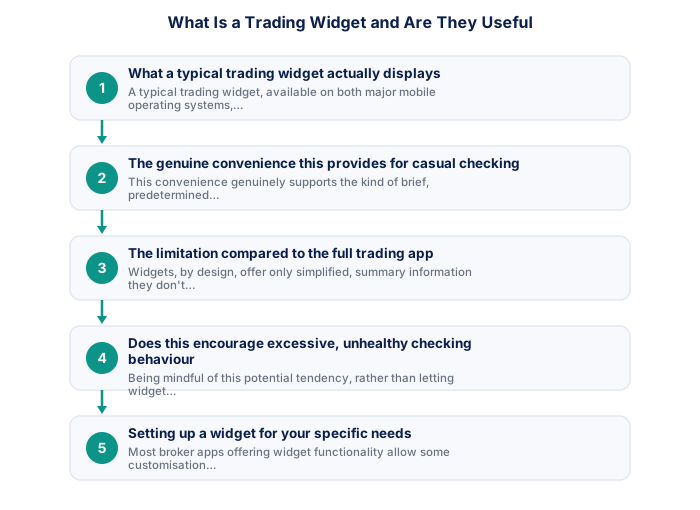
1. What a typical trading widget actually displays
A typical trading widget, available on both major mobile operating systems, displays a simplified summary directly on your home screen, perhaps current price for a watchlist instrument, your account balance or equity, or the status of open positions, without requiring you to tap through and fully open the broker's complete trading application interface.
It's worth checking exactly what specific data your particular widget displays, since content and customisation options vary meaningfully between different apps and platforms, worth exploring your specific options rather than assuming a generic, universal widget experience.
2. The genuine convenience this provides for casual checking
This convenience genuinely supports the kind of brief, predetermined check-ins, a quick glance at your home screen widget can confirm whether anything requires your fuller attention, without the additional friction of opening and managing the complete app interface for what might be an entirely uneventful check.
See also: How Do Proprietary Trading Firms Work for South Africans?
It's worth appreciating this genuine time-saving benefit concretely, glancing at a widget takes seconds compared to accessing your phone, opening an app, and managing to the relevant screen, a meaningful difference for quick, routine checks throughout your day.
- Two-factor authentication enabled
- Unique password not shared with other sites
- Broker mobile app installed and tested
- Mobile data backup connection tested
- Price alerts set for active instruments
- Broker emergency number saved in phone
- Know how to close all positions in under 30 seconds
- Desktop: full charting, multi-monitor, all order types
- Mobile: real-time monitoring and load shedding backup
- Mobile: price alerts when away from desk
- Desktop: useless during load shedding without UPS
- Mobile: limited charting for detailed analysis
- Mobile: higher risk of fat-finger errors
- Full charting and analysis
- Best for trade entry
- Multi-monitor support
- More order types available
- Monitor and manage on the go
- Load shedding backup use
- Push price alerts
- Limited charting tools
3. The limitation compared to the full trading app
Widgets, by design, offer only simplified, summary information, they don't support the detailed chart analysis, or the full order placement functionality the complete app provides. Genuine new analysis or trade execution still requires opening the full application, making the widget purely a supplementary convenience rather than a replacement for the complete trading interface.
It's worth being clear about this limitation before relying on a widget for anything genuinely important, a widget answers 'what's my current status' quickly, it doesn't support the deeper analysis or actual trade execution the full app provides.
| Feature | MT4 | MT5 |
|---|---|---|
| Broker availability | Very wide | Growing |
| EA library | Largest available | Smaller but growing |
| Timeframes | 9 built-in | 21 built-in |
| Asset classes | Forex and CFDs | Forex, CFDs, stocks |
| Mobile app | Good | More modern UI |
4. Does this encourage excessive, unhealthy checking behaviour
The very convenience and immediate visibility widgets provide could theoretically encourage more frequent, less deliberate checking than the predetermined, time-bounded routines generally recommend. Being mindful of this potential tendency, rather than letting widget convenience inadvertently undermine disciplined checking habits, matters for sustainable trading practice.
It's worth being genuinely honest with yourself about your own relationship with a widget specifically, discussed elsewhere on this site regarding excessive checking behaviour, if a widget's ease of access seems to be increasing rather than simply supporting your existing checking pattern, that's worth addressing directly.
5. Setting up a widget for your specific needs
Most broker apps offering widget functionality allow some customisation regarding which specific information displays, selecting your most relevant watchlist instruments or account summary details specifically relevant to your own trading focus, rather than accepting default widget configuration that might not align with your particular needs.
It's worth reviewing your widget configuration periodically, rather than setting it once and forgetting about it, your specific information needs may genuinely evolve as your trading style or focus changes over time.
6. A balanced view on widget usefulness overall
Widgets represent a genuinely useful, minor convenience for traders who specifically want quick, predetermined check-ins without full app navigation, while remaining mindful of the checking-frequency consideration, treating the widget as a supplementary convenience within an already-disciplined routine, rather than a tool that itself dictates your checking behaviour.
Social feed widgets and constant P&L tickers often create more noise.
Price alert widgets, session clocks, and filtered economic calendars add genuine value to a trading setup. Constant P&L tickers and social media feed widgets often create more distracting noise than signal.
★ Why It Matters
Worth being deliberate about which widgets you keep: a portfolio-wide P&L widget tends to encourage more frequent emotional checking than a single calm price-reference widget, the specific information a widget surfaces shapes your checking behaviour more than people initially expect.
✕ Common mistakes
- Keeping every available widget without considering its effect on checking habits. A constant P&L widget specifically tends to encourage frequent emotional checking.
- Assuming widgets are always update-synchronised with the full trading app. Some widgets lag slightly behind real-time app data.
- Not removing widgets that no longer serve their original purpose. Unused widgets clutter your home screen and attention without benefit.
- Choosing widgets purely for convenience without considering the checking-frequency trade-off. This is worth weighing deliberately, especially if reducing compulsive checking is a goal.
Key Takeaways
- Trading widgets provide quick-glance price and account information on your phone's home screen, useful for monitoring without fully opening the trading app.
- Trading widgets provide quick-glance price and account information directly on your phone's home screen.
- They're useful for casual monitoring without needing to fully open the trading app.
- What a typical trading widget actually displays.
- The genuine convenience this provides for casual checking.
If you run a website of your own, the same idea works in reverse: TradeAnswers publishes a library of free trading widgets you can embed in one line of HTML, including a position size calculator, a live rates board and an economic calendar that covers South African releases.
See also: Can I Trade Forex From My Phone in South Africa?.
Frequently asked follow-up questions
Do all brokers offer widget functionality?
Availability varies by broker and their specific app development; checking your particular broker's app features clarifies whether this is available to you.
Can widgets show real-time prices accurately?
Generally yes, reflecting the same underlying live data feed as the full app, though minor display delays can sometimes occur depending on the specific widget implementation.
Should I disable widgets if I'm trying to reduce checking frequency?
This is a reasonable personal choice if you find the widget's visibility specifically undermines your intended, more disciplined checking routine.
