i Short answer
Trading apps request specific phone permissions for genuine functionality, like notifications or camera access for document verification.
Most are entirely reasonable, though some warrant a closer look before granting.
📋 ON THIS PAGE
- Common permissions trading apps typically request
- Why camera access is often needed for verification
- Notification permissions and their genuine purpose
- Permissions that warrant a closer look before granting
- How to review and adjust permissions after installation
- A practical approach to evaluating these requests
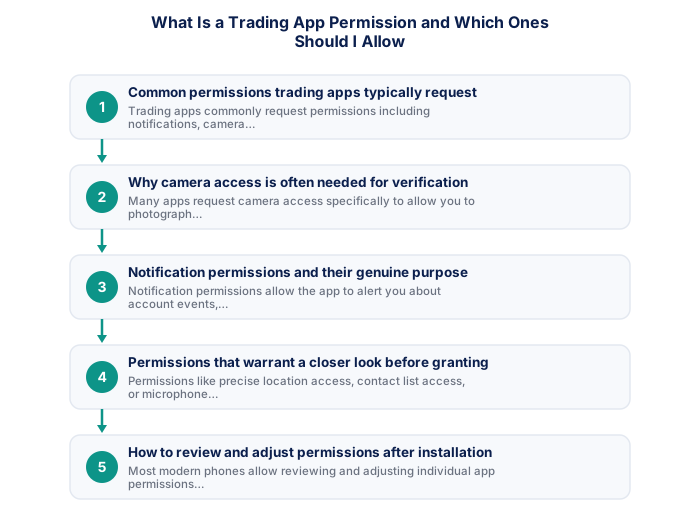
1. Common permissions trading apps typically request
Trading apps commonly request permissions including notifications, camera access for document verification, and sometimes storage access for saving statements or documents, each typically serving a genuine, identifiable functional purpose.
Building consistent trading results in South Africa requires applying disciplined principles across all aspects of the trading process. Many of the challenges South African traders face - from load shedding interruptions to rand volatility around political events - are manageable with the right preparation and risk framework. Approaching each session with a written plan, defined risk parameters, and clear criteria for entry and exit transforms trading from reactive to systematic.
| Permission | Typical Purpose |
|---|---|
| Camera | Identity verification (FICA documents) |
| Notifications | Price alerts, account updates |
| Location | Fraud prevention, regulatory checks |
| Biometrics | Secure login |
2. Why camera access is often needed for verification
As, many apps request camera access specifically to allow you to photograph identity documents or take a verification selfie directly within the app, streamlining the account opening and verification process.
See also: A Trading VPS vs a Dedicated Laptop
See also: Can I Use a Tablet as My Primary Trading Device?
- Two-factor authentication enabled
- Unique password not shared with other sites
- Broker mobile app installed and tested
- Mobile data backup connection tested
- Price alerts set for active instruments
- Broker emergency number saved in phone
- Know how to close all positions in under 30 seconds
- Desktop: full charting, multi-monitor, all order types
- Mobile: real-time monitoring and load shedding backup
- Mobile: price alerts when away from desk
- Desktop: useless during load shedding without UPS
- Mobile: limited charting for detailed analysis
- Mobile: higher risk of fat-finger errors
- Full charting and analysis
- Best for trade entry
- Multi-monitor support
- More order types available
- Monitor and manage on the go
- Load shedding backup use
- Push price alerts
- Limited charting tools
3. Notification permissions and their genuine purpose
Notification permissions allow the app to alert you about account events, price movements, or platform updates, genuinely useful for staying informed, though worth managing thoughtfully given the broader checking-frequency considerations.
Choosing a trading platform involves balancing familiarity, charting capability, execution reliability, and the availability of features relevant to your specific strategy. South African traders should also verify that their platform of choice remains accessible during load shedding through mobile apps and that it supports the instruments and order types they need. Testing your platform thoroughly on a demo account before relying on it for live trading identifies any usability issues before they cost real money.
| Feature | MT4 | MT5 |
|---|---|---|
| Broker availability | Very wide | Growing |
| EA library | Largest available | Smaller but growing |
| Timeframes | 9 built-in | 21 built-in |
| Asset classes | Forex and CFDs | Forex, CFDs, stocks |
| Mobile app | Good | More modern UI |
4. Permissions that warrant a closer look before granting
Permissions like precise location access, contact list access, or microphone access, where requested without an obvious direct connection to core trading functionality, warrant a closer look and perhaps a question to your specific broker about why this is genuinely needed.
5. How to review and adjust permissions after installation
Most modern phones allow reviewing and adjusting individual app permissions after installation through your phone's settings menu, meaning you can grant a specific permission only when genuinely needed, such as camera access specifically during the verification process, rather than permanently.
6. A practical approach to evaluating these requests
Granting permissions that have an obvious, direct connection to core functionality you actually use, while questioning or declining those that seem unrelated or excessive, supports a sensible, security-conscious approach.
Platform reliability during high-volatility events is a more important consideration than the breadth of analytical features for most retail traders. South African traders have an additional reliability concern that traders in stable electricity markets do not face: load shedding requires a tested mobile platform backup for managing open positions during power outages. Testing the mobile backup specifically, the ability to view positions, modify stops, and close trades, before going live with real capital is a practical step that traders outside South Africa simply do not need to consider. The best platform is ultimately the one you can use confidently under adverse conditions, not the one with the most features under ideal conditions. Confirming that your broker's mobile app functions correctly on your specific mobile device and 4G connection takes five minutes and could prevent a significant connectivity-related loss.
Camera is needed only for FICA, and contacts or location can usually be denied.
Internet access and price alert notifications are essential permissions for a trading app. Camera access is needed only for FICA verification, and contacts or location can usually be safely denied.
South African traders evaluating trading platforms should verify performance during load shedding conditions, since connectivity reliability is a material operational consideration that traders in other countries do not face. Testing a mobile backup connection through the broker's mobile app on 4G/LTE before going live with real capital confirms that you can manage open positions if your primary internet connection fails during a load shedding window. Most FSCA-regulated brokers provide both desktop and mobile platform versions, and the desktop platform remains the better environment for analysis and strategy execution when full connectivity is available.
The technical requirements for trading effectively from South Africa include considerations that international trading guides do not address. Backup power for your router and a mobile data connection as secondary internet are operational necessities rather than optional upgrades given South Africa's load shedding reality. For serious traders, a dedicated device used only for trading, not shared with general browsing, gaming, or other applications, reduces the risk of browser clutter, malware exposure, and the context-switching that degrades trading focus during active sessions.
★ Why It Matters
Worth checking specifically: review exactly which permissions your trading app requests against what its actual features require, a permission request that seems disconnected from any visible feature (location access for a basic charting app, for instance) is worth questioning before granting.
✕ Common mistakes
- Granting every requested permission without reviewing what's actually needed. A permission disconnected from any visible feature is worth questioning.
- Not periodically reviewing previously granted permissions. Apps sometimes request more access than their current feature set requires.
- Assuming all trading apps request similar, comparable permissions. Requests can vary considerably between apps for similar functionality.
Key Takeaways
- Trading apps request specific phone permissions for genuine functionality, with most being reasonable though some warrant a closer look before granting.
- Trading apps request specific phone permissions for genuine functionality, like notifications or camera access for document verification.
- Most are entirely reasonable, though some warrant a closer look before granting.
- Common permissions trading apps typically request.
- Why camera access is often needed for verification.
Frequently asked follow-up questions
Can I deny camera access and still complete FICA verification another way?
Many brokers offer alternative document upload methods, beyond in-app camera capture; checking your specific broker's options confirms what alternatives exist.
Does denying notification permissions affect my account security?
No, this specifically affects whether you receive alerts, rather than your underlying account security, which depends on separate factors.
Should I be concerned if a trading app requests microphone access?
This warrants asking your specific broker why this is needed, since this isn't an obviously necessary permission for typical core trading functionality.
Can I revoke a permission I previously granted?
Yes, most phones allow revoking previously granted permissions through your device settings at any time, without needing to uninstall the app entirely.
Do iOS and Android handle permission requests differently?
Yes, the specific timing and presentation of permission requests can differ between these operating systems, though the underlying principle of reviewing and managing permissions thoughtfully applies to both.
