i Short answer
Trading notifications cover price alerts, account events, and platform updates.
Deliberate filtering and prioritisation helps avoid the overwhelm excessive, unfiltered alerts can create.
📋 ON THIS PAGE
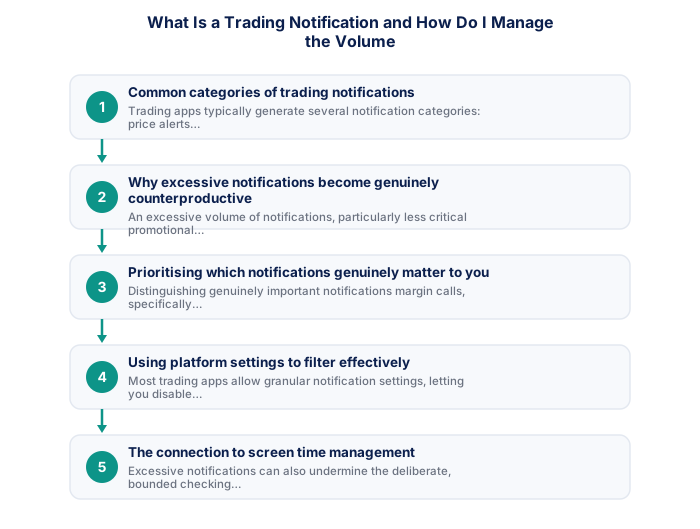
1. Common categories of trading notifications
Trading apps typically generate a few notification categories: price alerts you've configured yourself; account-related notifications like margin call warnings or order execution confirmations; and broader platform updates or promotional messages unrelated to your own account activity.
It's worth auditing your current notification settings explicitly against this list, checking exactly which specific categories you've enabled, rather than assuming you know your own configuration, often reveals notifications you don't actually remember turning on.
2. Why excessive notifications become counterproductive
A high volume of notifications, especially less critical promotional or general platform updates, can create real distraction and feed the kind of unhealthy preoccupation that ends up affecting sleep and wellbeing.
It's worth recognising this pattern as directly connected to the excessive checking behaviour discussed elsewhere on this site, a phone buzzing frequently with trading-related notifications creates repeated, small pulls toward checking your account, even outside your genuinely intended trading windows.
- Search FSP name or number at fsca.co.za
- Confirm licence is current and not suspended
- Check scope covers forex and CFD activity
- Confirm client funds in segregated accounts
- Read FSCA enforcement actions history
- Test customer support before depositing
- Client funds legally segregated
- FSCA complaints process available
- SA consumer protections apply
- ZAR account, no FX conversion costs
- Some offshore brokers offer wider instruments
- Regulatory overhead passed on in spreads
- Stricter position limits for retail clients
- FICA verification required before trading
- Client funds segregated
- Formal FSCA complaints process
- SA consumer protections apply
- ZAR account available
- Fund safety not guaranteed
- Overseas disputes only
- SA law does not apply
- Currency conversion costs
3. Prioritising which notifications genuinely matter to you
Separating what genuinely matters, margin calls, configured price alerts tied to your active strategy, from what doesn't, general platform news or promotional content, helps you decide which categories deserve immediate attention and which can wait or be turned off entirely.
It's worth being genuinely selective here rather than defaulting to 'more information is always better,' a notification you consistently ignore or find irritating isn't serving its intended purpose, worth disabling it entirely rather than accumulating notifications you've mentally learned to tune out.
4. Using platform settings to filter effectively
Most trading apps offer granular notification settings, letting you disable specific categories while keeping others active. Taking the time to review and adjust these deliberately, rather than accepting whatever default the app ships with, makes for a more intentional, less overwhelming experience.
It's worth exploring your specific platform's full notification settings menu deliberately, rather than accepting default configurations, many traders leave notification settings unchanged simply because they never took the time to review and adjust them to their actual preferences.
| Protection | FSCA Regulated | Offshore Unregulated |
|---|---|---|
| Client fund segregation | ✓ Required | Varies by broker |
| SA complaints process | ✓ Available | ✗ Not available |
| SA consumer law applies | ✓ Yes | ✗ No |
| ZAR account available | ✓ Typically | Often USD/EUR only |
5. The connection to screen time management
Excessive notifications can undermine the deliberate, bounded checking routine that screen time limits are meant to support, since frequent pings can pull you back into the app even during periods you'd meant to step away from active monitoring.
It's worth reviewing your notification settings alongside any broader screen time or app usage tools you've set up, discussed elsewhere on this site regarding weekend boundaries, since notifications and screen time habits are closely connected, addressing one without the other tends to leave the underlying pattern only partly resolved.
6. Finding your own appropriate notification balance
Finding your own appropriate notification balance, enough to stay informed about the account events that genuinely matter, without the distracting volume, supports disciplined, predetermined checking, generally a healthier habit than constant, reactive monitoring.
Daily summaries and promotional messages can Safely be disabled.
Essential notifications include your own price alerts, margin call warnings, and position execution confirmations. Daily market summaries and broker promotional messages can safely be disabled to reduce noise.
★ Why It Matters
Worth auditing: go through your notification settings and disable anything that isn't tied to an action you'd actually take. Notifications that exist purely for engagement, rather than your own decision-making, tend to pile up unnoticed over time.
✕ Common mistakes
- Not disabling notifications unrelated to an action you'd actually take. These tend to accumulate unnoticed and contribute to overwhelm.
- Treating every notification as equally urgent. Differentiated settings help you focus attention on what genuinely matters.
- Allowing notification volume to grow unchecked over time. A periodic audit keeps the volume manageable and genuinely useful.
Key Takeaways
- Trading notifications cover price alerts, account events, and platform updates, with deliberate filtering helping avoid the overwhelm excessive alerts can create.
- Trading notifications cover price alerts, account events, and platform updates.
- Deliberate filtering and prioritisation helps avoid the overwhelm excessive, unfiltered alerts can create.
- Common categories of trading notifications.
- Why excessive notifications become counterproductive.
See also: What Are Trading Alerts and How Do I Set Them Up?.
Frequently asked follow-up questions
Should I disable all promotional notifications from my trading app?
Many traders find disabling purely promotional content, while keeping account-relevant alerts active, strikes a reasonable balance.
Can too few notifications cause me to miss something important?
It's possible if you disable genuinely critical categories like margin call warnings. Carefully separating critical from non-critical categories helps avoid that risk.
Do notification settings sync across multiple devices?
This varies by platform, checking your app's settings will clarify whether adjustments apply everywhere or need setting up separately on each device.
