i Short answer
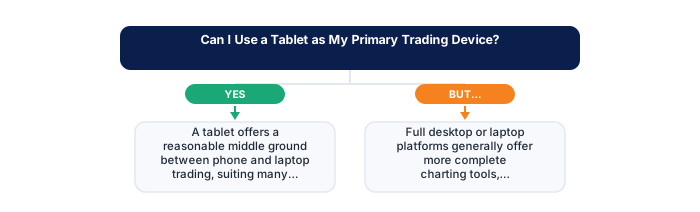
A tablet offers a reasonable middle ground between phone and laptop trading, suiting many traders' needs adequately.
There are some genuine functionality trade-offs around detailed chart analysis worth understanding before relying on this as your primary device.
📋 ON THIS PAGE
1. The genuine advantages tablets offer over phones
A tablet's larger screen makes chart analysis genuinely more comfortable than a phone. Reading multiple data points simultaneously, following price action with adequate visual space around it, and reviewing a chart without feeling like you're peering through a keyhole, these differences matter in practice, not just on paper.
It's worth comparing the two side by side for a specific analysis task before committing to either as your primary device. View the same chart with your usual indicators on both screens during a real session. The difference in analytical comfort is often more significant than it sounds when described abstractly.
The portability advantage over a laptop is also genuine. A tablet can accompany you through your day in a way that a laptop typically can't, checked during a commute, reviewed during a lunch break, positioned comfortably on a desk for an evening session without the heat and weight of a laptop. This portability directly supports the kind of flexible routine that working traders need.
For traders who work from a single location and don't need portability, the comparison is primarily between tablet and desktop. Here the screen difference matters more: a desktop with a proper monitor provides meaningfully more screen real estate than even a large tablet, while a tablet provides more than a phone but less than a dedicated trading desk setup.
| Feature | Tablet | Phone | Laptop |
|---|---|---|---|
| Screen size for analysis | Moderate | Limited | Best |
| Portability | High | Highest | Moderate |
| Full platform features | Often app-limited | App-limited | Full access |
| External keyboard support | Yes, improves usability | Limited | Built-in |
2. How tablets compare to full laptop functionality
Full desktop and laptop platforms still typically offer more complete charting, deeper indicator customisation, and the occasional feature, automated strategy testing, certain data export capabilities, platform API access, that mobile and tablet versions don't fully replicate. Whether those features matter depends entirely on whether your specific trading approach actually uses them.
It's worth identifying which specific laptop-only features your own strategy genuinely depends on before committing to tablet-primary trading. Many traders discover, on honest review, that their actual trading workflow uses a subset of platform capabilities that a well-designed tablet app covers adequately. Others find a specific feature, backtesting, complex custom indicators, that requires a desktop environment.
- FSCA-regulated broker verified at fsca.co.za
- Demo account tested for minimum 60 days
- Trading plan written: entry, exits, position sizing
- Risk per trade defined (1-2% of account)
- Backup internet connection tested for load shedding
- Tax implications understood
The gap between tablet and laptop functionality has narrowed significantly over the past few years as brokers have invested in their mobile and tablet platforms. Features that were genuinely tablet-only limitations five years ago are often available in current app versions. Testing the current version of your broker's tablet app against your actual workflow is more informative than assuming limitations based on older experience.
Input method is the most consistent remaining gap: selecting precise price levels for orders and indicators on a touchscreen is less exact than using a mouse and keyboard. This matters more for styles requiring very precise entries than for approaches where approximate level selection is sufficient.
3. Platform app quality on tablets specifically
Plenty of platforms build tablet-specific layouts or offer a desktop-like web interface that scales well to a tablet screen rather than simply stretching a phone layout. The quality varies considerably between brokers, and testing your specific platform on your specific device during a demo session tells you far more than descriptions or reviews.
It's worth testing this on a demo account specifically before committing to tablet-primary trading with real capital, since app quality genuinely varies, the difference between a well-optimised tablet experience and a phone app scaled up is substantial in practice. Some brokers have invested meaningfully in their tablet offering; others clearly treat mobile as an afterthought.
The broker's web-based platform, accessed through a tablet's browser rather than through a dedicated app, is sometimes a better option than the tablet app itself. Web platforms designed for desktop use often scale to a large tablet screen more naturally than a mobile app forced into a larger format. Testing both options for your specific broker gives you the full picture of what's available.
Beyond the charting and order interface, checking how your broker handles risk management notifications on tablet specifically is worth doing. Margin alerts, position change notifications, and price alerts all function through the same mechanism as on mobile, but confirming they work reliably on your specific tablet setup during a demo period avoids discovering a notification gap with real capital at risk.
4. External keyboard and accessory considerations
An external keyboard and stand close a lot of the remaining gap between tablet and laptop for tasks requiring text input, journal entries, detailed analysis notes, broker communications. The combination of a tablet with a good stand and a Bluetooth keyboard produces a working experience that's functionally similar to a laptop for everything except screen size.
This is worth treating as a near-essential upgrade rather than an optional accessory if you're genuinely committing to tablet-primary trading. The inconvenience of text input on a touchscreen for longer entries, notes, journal records, broker support queries, is significant enough to create friction that a keyboard eliminates. The cost is modest relative to the improvement in practical usability.
| Item | Detail |
|---|---|
| Regulator | FSCA, fsca.co.za |
| Exchange control | SARB, resbank.co.za |
| Tax authority | SARS, sars.gov.za |
| JSE hours | 09:00-17:00 SAST Mon-Fri |
| Best forex session | 15:00-17:00 SAST |
| CGT annual exclusion | R50,000 (individuals) |
A stand is equally important for sustained use. Propping a tablet against something during a trading session, rather than holding it or laying it flat, is the difference between comfortable use and uncomfortable use during multi-hour sessions. The right stand angle for desk use is different from the right angle for lap use, and adjustable stands that handle both are worth the modest investment.
If you're using a tablet with a keyboard case that combines both functions, testing the specific typing experience for extended use is worth doing, some combined keyboard cases produce acceptable results for short inputs but create fatigue during longer sessions. The quality varies considerably between manufacturers and price points.
5. Which trading styles suit tablet use best
Swing and position trading, with their lower decision frequency and reduced need for fast, precise chart manipulation, suit tablets well. Reviewing a daily or weekly chart once or twice a day, placing a pending order, adjusting a stop-loss, these tasks fit naturally into the tablet's interaction model without creating the precision frustration that fast-paced, intraday trading can.
Day trading on a tablet is possible but introduces friction that less intensive styles don't. The touchscreen precision limitations matter more when entries and exits need to be fast and accurate. Multiple chart monitoring is more constrained on a tablet's single screen than on a desktop with multiple monitors. The sessions are also typically longer for active day traders, which means the comfort and setup quality of the device matters more.
This is worth revisiting honestly if your trading style evolves. A trader who started with swing trading and found the tablet adequate may find, as they explore shorter-term approaches, that the tablet's limitations become more significant. Trading approach and hardware should be evaluated together rather than locked in independently.
6. A realistic recommendation for tablet-only trading
If you're running a lower-frequency style and value portability, a tablet with a good app and the accessories to support comfortable extended use can genuinely work as your primary trading device. The gap between tablet and desktop is real but narrower than it used to be, and for many trading approaches, it's manageable.
A practical test before fully committing: try placing a trade with a tight stop-loss during a volatile session using only the tablet, specifically working through the full workflow of analysis, order entry, and position management. The friction points in your specific approach become apparent very quickly when the routine is under real-market conditions rather than calm, exploratory testing.
The hybrid approach, tablet for monitoring and light management during the day, desktop for primary analysis sessions, gives you the portability benefit without fully depending on the tablet for work that benefits from a full desktop environment. For many traders, this combination is more practical than trying to make either device do everything.
✕ Common mistakes
- Underestimating the speed cost of touch-based order entry. A few extra seconds matters during fast-moving conditions.
- Using a tablet for detailed multi-chart analysis. Smaller screens suit monitoring better than deep technical work.
- Not testing order placement under realistic time pressure. Practising on a demo account first reveals real usability gaps.
- Relying solely on tablet WiFi with no backup connection. A single point of failure is risky during an open position.
Key Takeaways
- A tablet offers a reasonable middle ground between phone and laptop trading, suiting many traders though with some genuine functionality trade-offs to consider.
- A tablet offers a reasonable middle ground between phone and laptop trading, suiting many traders' needs adequately.
- There are some genuine functionality trade-offs around detailed chart analysis worth understanding before relying on this as your primary device.
- The genuine advantages tablets offer over phones.
- How tablets compare to full laptop functionality.
See also: Should I Use a Dedicated Trading Laptop or Tablet?.
Frequently asked follow-up questions
Can I run the full desktop version of a trading platform on a tablet?
Generally not directly, given different operating systems and interface requirements. Most tablets run the mobile-optimised app version instead.
Does tablet battery life matter for extended trading sessions?
Yes, ensuring adequate charge or access to charging during longer sessions remains important.
Should I buy a tablet specifically for trading if I don't already own one?
This depends on your specific trading style and existing device access, rather than being a universal necessity for every trader.
