i Short answer
Biometric login using fingerprint or facial recognition offers convenient, generally secure access to your trading app.
It complements, rather than fully replaces, strong passwords and two-factor authentication.
📋 ON THIS PAGE
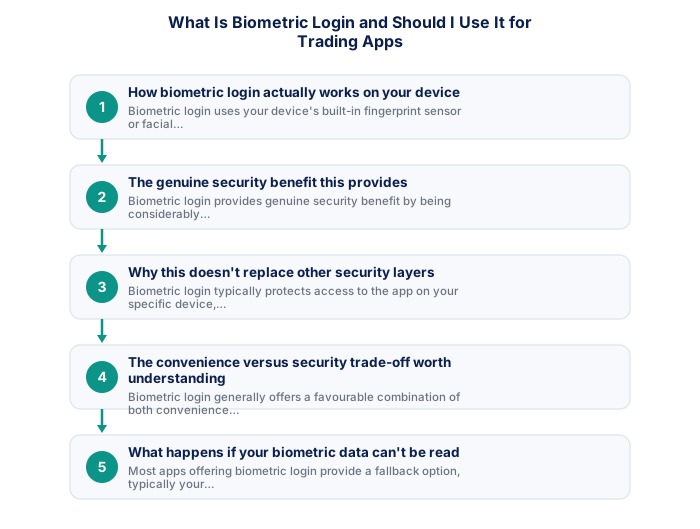
- How biometric login actually works on your device
- The genuine security benefit this provides
- Why this doesn't replace other security layers
- The convenience versus security trade-off worth understanding
- What happens if your biometric data can't be read
- Enabling this feature on your specific trading app
1. How biometric login actually works on your device
Biometric login uses your device's built-in fingerprint sensor or facial recognition camera to verify your identity before granting access to the trading app, with this biometric data typically processed and stored securely on your own device itself, rather than being transmitted to or stored by the broker directly, depending on the specific implementation.
It's worth understanding this local-storage design specifically, since it's directly relevant to the security benefit discussed below, your fingerprint or facial data never actually travels to or gets stored by your trading app or broker, it remains locally on your own device throughout.
2. The genuine security benefit this provides
Biometric login provides genuine security benefit by being considerably harder to replicate or guess than a password, and by removing the risk of password-related vulnerabilities like reuse across multiple services or susceptibility to phishing attempts specifically targeting password entry.
It's worth appreciating why this genuinely improves security beyond simple convenience, biometric data is considerably harder for someone else to replicate or guess than even a strong password, while also being faster to use, a rare case where convenience and security genuinely align rather than trading off against each other.
- Two-factor authentication enabled
- Unique password not shared with other sites
- Broker mobile app installed and tested
- Mobile data backup connection tested
- Price alerts set for active instruments
- Broker emergency number saved in phone
- Know how to close all positions in under 30 seconds
- Desktop: full charting, multi-monitor, all order types
- Mobile: real-time monitoring and load shedding backup
- Mobile: price alerts when away from desk
- Desktop: useless during load shedding without UPS
- Mobile: limited charting for detailed analysis
- Mobile: higher risk of fat-finger errors
- Full charting and analysis
- Best for trade entry
- Multi-monitor support
- More order types available
- Monitor and manage on the go
- Load shedding backup use
- Push price alerts
- Limited charting tools
3. Why this doesn't replace other security layers
Biometric login typically protects access to the app on your specific device, but doesn't necessarily replace the need for two-factor authentication, which provides protection against unauthorised access attempts from an entirely different device than your own, where biometric login wouldn't be relevant at all.
It's worth maintaining your other security practices, discussed elsewhere on this site regarding account protection generally, even after enabling biometric login, this feature complements rather than replaces a genuinely strong, unique password and two-factor authentication where available.
| Feature | MT4 | MT5 |
|---|---|---|
| Broker availability | Very wide | Growing |
| EA library | Largest available | Smaller but growing |
| Timeframes | 9 built-in | 21 built-in |
| Asset classes | Forex and CFDs | Forex, CFDs, stocks |
| Mobile app | Good | More modern UI |
4. The convenience versus security trade-off worth understanding
Biometric login generally offers a favourable combination of both convenience and security compared to password-only access, removing the friction of manual password entry while maintaining strong, hard-to-replicate identity verification, this is one of the relatively few security measures that doesn't require meaningfully sacrificing convenience for improved protection.
It's worth considering your own specific device security more broadly when weighing this trade-off, biometric login's convenience depends on your device itself remaining secure, worth ensuring your device's own lock screen and security settings are genuinely sound as a foundation.
5. What happens if your biometric data can't be read
Most apps offering biometric login provide a fallback option, typically your standard password or PIN, for situations where biometric reading fails (perhaps due to a wet finger, certain lighting conditions for facial recognition, or device-specific sensor issues), ensuring you're never genuinely locked out simply because this specific convenience feature happens to fail in a particular moment.
It's worth confirming you know your account password even after setting up biometric login as your primary access method, since biometric readers occasionally fail due to environmental conditions or minor injuries, worth being prepared with your fallback credentials rather than being caught unable to access your account.
6. Enabling this feature on your specific trading app
Most modern trading apps offer biometric login as an optional setting, typically found within the app's security or account settings menu, enabling this where available, while still maintaining a strong underlying password as the fallback option, provides a sensible combination of convenience and continued security.
Since these apps handle sensitive financial data, it's worth confirming your broker's mobile platform complies with POPIA (South Africa's Protection of Personal Information Act) in how it stores and transmits your account and trading information.
Combining it with two-factor authentication adds a second protection layer.
Biometric login is faster and harder to steal than a password. Combining it with two-factor authentication provides a stronger overall security setup than either method alone.
★ Why It Matters
Something worth checking specifically: confirm your trading app falls back to a strong password or PIN, not a weak one, if biometric login fails for any reason, the overall security of biometric login is only as strong as its fallback method, which is sometimes overlooked.
✕ Common mistakes
- Assuming biometric login alone is sufficient security. It complements, rather than replaces, strong passwords and two-factor authentication.
- Using biometric login on a shared or family device without considering implications. This can create unintended access for others enrolled on the same device.
- Treating biometric convenience as more important than understanding its actual security trade-offs. Both convenience and security deserve consideration before enabling it.
Key Takeaways
- Biometric login using fingerprint or facial recognition offers convenient, generally secure access, complementing rather than replacing strong password practices.
- Biometric login using fingerprint or facial recognition offers convenient, generally secure access to your trading app.
- It complements, rather than fully replaces, strong passwords and two-factor authentication.
- How biometric login actually works on your device.
- The genuine security benefit this provides.
See also: How Do I Protect My Trading Account From Hackers? and Can I Trade Forex From My Phone in South Africa?.
Frequently asked follow-up questions
Is biometric login more secure than a strong password?
It's generally considered at least comparably secure and harder to replicate, though maintaining both as complementary layers provides the most sound overall approach.
Can someone else's fingerprint be added to bypass my biometric login?
This depends on your specific device's settings; ensuring only your own biometric data is registered on a device used for trading access maintains the security benefit this feature is designed to provide.
Does biometric login work the same way on all trading apps?
Implementation can vary slightly by app and device; checking your specific app's security settings clarifies exactly how this feature works for your particular setup.
