i Short answer
Dark mode reduces screen brightness and potential eye strain during extended use, a genuine comfort feature for many traders.
It doesn't directly affect trading decisions or outcomes beyond this comfort dimension.
📋 ON THIS PAGE
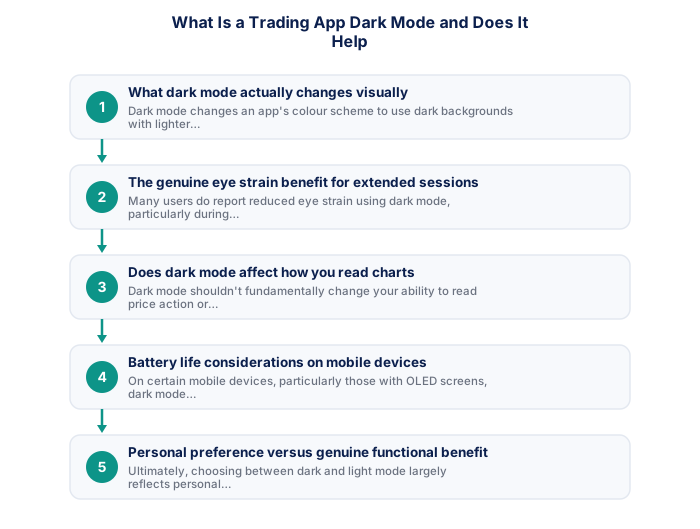
1. What dark mode actually changes visually
Dark mode changes an app's colour scheme to use dark backgrounds with lighter text and chart elements, rather than the traditional light background with dark text and elements, representing purely a visual display preference rather than any change to the underlying functionality or data presented.
2. The genuine eye strain benefit for extended sessions
Many users do report reduced eye strain using dark mode, particularly during evening or low-light conditions, though individual experience can vary considerably based on personal preference and specific lighting conditions.
- Two-factor authentication enabled
- Unique password not shared with other sites
- Broker mobile app installed and tested
- Mobile data backup connection tested
- Price alerts set for active instruments
- Broker emergency number saved in phone
- Know how to close all positions in under 30 seconds
- Desktop: full charting, multi-monitor, all order types
- Mobile: real-time monitoring and load shedding backup
- Mobile: price alerts when away from desk
- Desktop: useless during load shedding without UPS
- Mobile: limited charting for detailed analysis
- Mobile: higher risk of fat-finger errors
- Full charting and analysis
- Best for trade entry
- Multi-monitor support
- More order types available
- Monitor and manage on the go
- Load shedding backup use
- Push price alerts
- Limited charting tools
3. Does dark mode affect how you read charts
Dark mode shouldn't fundamentally change your ability to read price action or technical indicators correctly, since the underlying data and chart structure remain identical, only the colour scheme changes, similar to how this affects any other app's visual presentation.
| Feature | MT4 | MT5 |
|---|---|---|
| Broker availability | Very wide | Growing |
| EA library | Largest available | Smaller but growing |
| Timeframes | 9 built-in | 21 built-in |
| Asset classes | Forex and CFDs | Forex, CFDs, stocks |
| Mobile app | Good | More modern UI |
4. Battery life considerations on mobile devices
On certain mobile devices, particularly those with OLED screens, dark mode can provide some modest battery life benefit, since displaying dark pixels typically requires less power than displaying bright ones, though this effect's practical significance varies by specific device and usage pattern.
5. Personal preference versus genuine functional benefit
Ultimately, choosing between dark and light mode largely reflects personal visual preference and comfort, rather than one option providing a genuine, decisive trading performance advantage over the other for most users in most conditions.
6. How to enable this on most trading apps
Most modern trading apps include a dark mode toggle within their settings menu, sometimes automatically following your phone's overall system-wide dark mode setting, making this generally straightforward to enable or disable based on your own specific preference.
South African traders who maintain a weekly review routine, checking the SARB economic calendar for the coming week, reviewing the Eskom load shedding schedule, assessing the current GNU coalition stability backdrop, and marking key support and resistance levels on the instruments they trade, consistently outperform traders who approach each session without any structured preparation. This weekly routine takes 30 to 45 minutes and produces a clearer analytical framework that reduces impulsive decisions and improves the quality of trade selection throughout the week.
It doesn't improve trading decision quality, only visual comfort.
Dark mode reduces eye strain in low-light conditions and can improve battery life on OLED screens. It doesn't improve trading decision quality and shouldn't be confused with a performance enhancement.
The technical requirements for trading effectively from South Africa include considerations that international trading guides do not address. Backup power for your router and a mobile data connection as secondary internet are operational necessities rather than optional upgrades given South Africa's load shedding reality. For serious traders, a dedicated device used only for trading, not shared with general browsing, gaming, or other applications, reduces the risk of browser clutter, malware exposure, and the context-switching that degrades trading focus during active sessions.
★ Why It Matters
Something worth testing on yourself specifically: track whether your evening trading sessions feel noticeably different with dark mode enabled versus disabled over a couple of weeks, the benefit is real for some people and negligible for others, it's worth finding out which applies to you rather than assuming.
✕ Common mistakes
- Assuming dark mode benefits apply equally to everyone. The effect appears genuinely personal, worth testing on yourself rather than assuming.
- Not testing both modes deliberately over a comparable period. A direct comparison gives more reliable evidence than a one-off impression.
- Treating dark mode as a meaningful trading edge rather than a comfort feature. It affects eye strain, not trading decisions directly.
- Ignoring screen brightness settings alongside the dark/light mode choice. Both factors together affect overall comfort during extended sessions.
Key Takeaways
- Dark mode reduces screen brightness and eye strain during extended use, a genuine comfort feature though not directly affecting trading decisions themselves.
- Dark mode reduces screen brightness and potential eye strain during extended use, a genuine comfort feature for many traders.
- It doesn't directly affect trading decisions or outcomes beyond this comfort dimension.
- What dark mode actually changes visually.
- The genuine eye strain benefit for extended sessions.
See also: How Do I Set Up a Dedicated Trading Space at Home?.
Frequently asked follow-up questions
Can I set dark mode to switch automatically based on time of day?
Many apps follow your phone's system-wide automatic dark mode scheduling, if you've configured this setting at the operating system level.
Does dark mode affect how colours like red and green appear on charts?
The specific colours used for elements like candlesticks generally remain consistent regardless of overall theme, though checking your specific app confirms this for your situation.
Is dark mode available on both the mobile app and desktop platform?
This varies by specific provider; checking whether your broker offers consistent dark mode support across both platforms, confirms availability.
Could dark mode ever make it harder to notice certain chart details?
For most users this isn't a significant concern, though if you find any specific difficulty, switching back to light mode remains a simple, available option.
Does using dark mode require any special device or app version?
Most modern phones and current app versions support this feature; checking that you're running an up-to-date app version resolves most cases where this option might be missing.
