i Short answer
Most genuine trading functionality requires an active internet connection.
Offline access is typically limited to viewing previously cached information, not placing or managing live trades.
📋 ON THIS PAGE
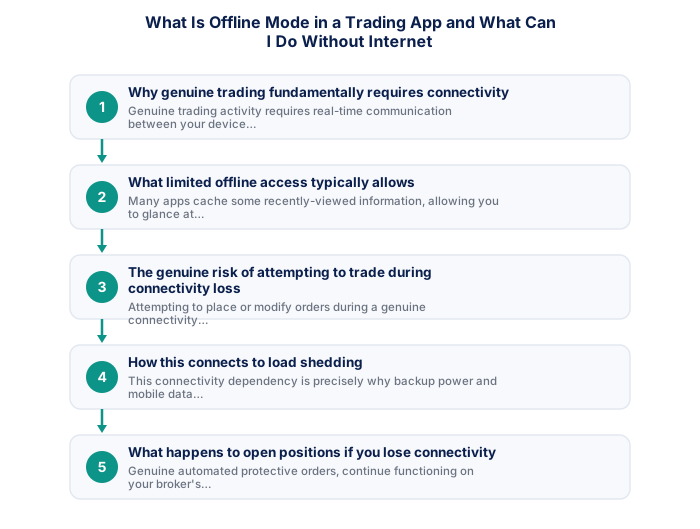
- Why genuine trading fundamentally requires connectivity
- What limited offline access typically allows
- The genuine risk of attempting to trade during connectivity loss
- How this connects to load shedding
- What happens to open positions if you lose connectivity
- Practical preparation for connectivity interruptions
1. Why genuine trading fundamentally requires connectivity
Genuine trading activity requires real-time communication between your device and your broker's servers, since prices, order placement, and account status all depend on this continuous, active connection.
It's worth understanding this as a fundamental structural reality rather than a limitation any specific app could design around, live prices, order execution, and account status all depend on real-time communication with your broker's servers, no genuine offline trading capability can exist while still providing accurate, current information.
2. What limited offline access typically allows
Many apps cache some recently-viewed information, allowing you to glance at previously loaded chart data or account summaries even briefly without connectivity, though this represents static, potentially outdated information rather than any genuine, current trading capability.
It's worth checking your specific app's exact offline capabilities directly, rather than assuming a universal standard, some apps offer more extensive cached viewing than others, worth confirming what you can genuinely rely on during a connectivity gap.
- Two-factor authentication enabled
- Unique password not shared with other sites
- Broker mobile app installed and tested
- Mobile data backup connection tested
- Price alerts set for active instruments
- Broker emergency number saved in phone
- Know how to close all positions in under 30 seconds
- Desktop: full charting, multi-monitor, all order types
- Mobile: real-time monitoring and load shedding backup
- Mobile: price alerts when away from desk
- Desktop: useless during load shedding without UPS
- Mobile: limited charting for detailed analysis
- Mobile: higher risk of fat-finger errors
- Full charting and analysis
- Best for trade entry
- Multi-monitor support
- More order types available
- Monitor and manage on the go
- Load shedding backup use
- Push price alerts
- Limited charting tools
3. The genuine risk of attempting to trade during connectivity loss
Attempting to place or modify orders during a genuine connectivity interruption typically simply fails, rather than processing based on outdated cached information, since your broker's servers never actually receive your specific instruction.
It's worth being aware of this risk specifically if your connection is intermittent rather than fully offline, a weak or unstable connection can sometimes allow an order attempt to seem to go through while actually failing or executing unpredictably, worth confirming genuine, stable connectivity before placing any order.
| Feature | MT4 | MT5 |
|---|---|---|
| Broker availability | Very wide | Growing |
| EA library | Largest available | Smaller but growing |
| Timeframes | 9 built-in | 21 built-in |
| Asset classes | Forex and CFDs | Forex, CFDs, stocks |
| Mobile app | Good | More modern UI |
4. How this connects to load shedding
This connectivity dependency is exactly why backup power and mobile data fallback solutions matter for South African traders specifically managing this particular, locally relevant infrastructure challenge.
It's worth planning around this specific South African reality proactively, discussed elsewhere on this site regarding trading around load shedding at home, rather than being caught unprepared by predictable, scheduled outages that genuinely interrupt your connectivity.
5. What happens to open positions if you lose connectivity
Genuine automated stop-loss orders continue functioning on your broker's own servers regardless of your personal connectivity status, giving important protection precisely for this kind of connectivity interruption scenario.
It's worth appreciating this as one of the strongest, most concrete arguments for never trading without protective stop-loss orders in place, discussed throughout this site's risk management content, your predetermined orders continue functioning on the broker's servers regardless of your own local connectivity status.
6. Practical preparation for connectivity interruptions
Maintaining a reliable mobile data fallback, ensuring genuine protective orders are always in place on open positions, and understanding this fundamental connectivity dependency all support more resilient trading practice.
The practical reliability of trading technology matters more in South Africa than in most developed market trading environments, given load shedding's potential to interrupt connectivity at any point during a trading session. South African traders should test their complete backup connectivity solution, typically mobile data hotspot on 4G/LTE, specifically with their trading platform before relying on it during a real load shedding event. Knowing that your mobile backup actually connects to your broker and allows order management is a five-minute test that could prevent a significant connectivity-related loss.
Platform reliability during high-volatility events is a more important consideration than the breadth of analytical features for most retail traders. South African traders have an additional reliability concern that traders in stable electricity markets do not face: load shedding requires a tested mobile platform backup for managing open positions during power outages. Testing the mobile backup specifically, the ability to view positions, modify stops, and close trades, before going live with real capital is a practical step that traders outside South Africa simply do not need to consider. The best platform is ultimately the one you can use confidently under adverse conditions, not the one with the most features under ideal conditions. Confirming that your broker's mobile app functions correctly on your specific mobile device and 4G connection takes five minutes and could prevent a significant connectivity-related loss.
Offline mode is for reference only, not active trading.
Some trading apps show cached watchlists and historical chart data without internet, but live prices and the ability to place or manage orders always require an active connection.
South African traders evaluating trading platforms should verify performance during load shedding conditions, since connectivity reliability is a material operational consideration that traders in other countries do not face. Testing a mobile backup connection through the broker's mobile app on 4G/LTE before going live with real capital confirms that you can manage open positions if your primary internet connection fails during a load shedding window. Most FSCA-regulated brokers provide both desktop and mobile platform versions, and the desktop platform remains the better environment for analysis and strategy execution when full connectivity is available.
The technical requirements for trading effectively from South Africa include considerations that international trading guides do not address. Backup power for your router and a mobile data connection as secondary internet are operational necessities rather than optional upgrades given South Africa's load shedding reality. For serious traders, a dedicated device used only for trading, not shared with general browsing, gaming, or other applications, reduces the risk of browser clutter, malware exposure, and the context-switching that degrades trading focus during active sessions.
★ Why It Matters
Worth testing deliberately once: turn off your data and WiFi while you have an open position (on a demo account) and see exactly what information and controls remain available. This gives you real, firsthand knowledge of your specific app's offline limitations rather than discovering them during an actual outage.
✕ Common mistakes
- Assuming you can manage open positions normally during a connectivity loss. Offline access is typically limited to viewing cached information, not active management.
- Trading with an unreliable connection without a backup plan. A dropped connection during an open position is a real, avoidable risk.
- Treating offline mode as equivalent to full app functionality. The gap between the two is worth understanding before it matters.
Key Takeaways
- Most trading functionality requires an active internet connection, with offline access typically limited to viewing previously cached information only.
- Most genuine trading functionality requires an active internet connection.
- Offline access is typically limited to viewing previously cached information, not placing or managing live trades.
- Why genuine trading fundamentally requires connectivity.
- What limited offline access typically allows.
Frequently asked follow-up questions
Can I at least view my account balance without internet?
Some apps display previously cached, potentially outdated balance information briefly, though this isn't a live, current figure without genuine connectivity restored.
Does a weak signal behave the same as no connection at all?
A weak but present connection may allow slower, sometimes unreliable functionality, while complete connection loss typically prevents any genuine trading action entirely.
Will my pending orders still execute if I lose connectivity after placing them?
Yes, since these are already submitted to and held on your broker's servers, continuing to function independently of your own subsequent connectivity status.
Should I rely on offline cached charts for making trading decisions?
No, this represents potentially outdated information, rather than the genuine current data needed for sound, evidence-based trading decisions.
Does this connectivity dependency apply equally to desktop and mobile trading?
Yes, this fundamental connectivity requirement applies regardless of which specific device you're using to access your trading platform.
