i Short answer
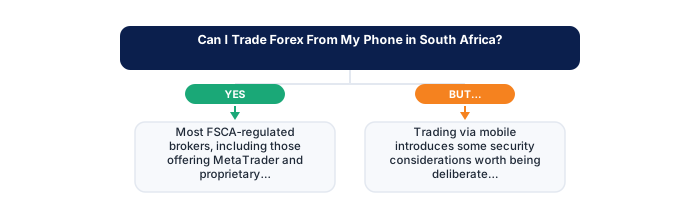
Yes. Most FSCA-regulated brokers provide full-featured mobile apps supporting account opening, deposits, live order placement, and withdrawals.
📋 ON THIS PAGE
1. What mobile trading apps genuinely support today
Mobile apps from FSCA-regulated brokers have advanced substantially. Account opening and verification, deposits through mobile payment systems, live charting with common indicators, order placement and modification, position monitoring, and access to economic calendars are all available on well-developed mobile platforms. For many trading styles and monitoring purposes, a modern mobile app is genuinely capable.
For swing and position traders whose monitoring needs are relatively light and who use daily or weekly timeframes, a mobile app is often enough to run an entire trading operation without a desktop complement. The heavier analysis and planning work can be done on desktop or laptop during dedicated sessions; the mobile app handles the ongoing monitoring and order management.
It's worth actually testing your specific broker's app thoroughly on a demo account before assuming full feature parity with their desktop platform. Mobile apps from the same broker often have a different feature set than the desktop version, some functions are streamlined out of the mobile interface, while others are added specifically for mobile use. What you see in the demo gives you a realistic picture of what you'll have on the live platform.
South Africa's mobile network coverage and data costs are practical considerations specific to the local context. Trading over a mobile data connection rather than WiFi means data usage from price feed and chart streaming, which varies by broker and app. Understanding your typical data consumption on trading sessions is worth doing if you're on a capped mobile data plan.
| Feature | Mobile-First | Desktop-First |
|---|---|---|
| Convenience and monitoring on the go | Higher | Lower |
| Detailed multi-timeframe analysis | Harder | Easier |
| Data and connectivity dependency | Higher | Lower, typically Wi-Fi |
| Suited to | Monitoring, simple execution | In-depth analysis, planning |
2. The screen size trade-off for detailed analysis
The lasting, genuine limitation of mobile trading is screen size. Viewing multiple charts simultaneously, layering several indicators without visual clutter, running side-by-side comparisons across timeframes, or monitoring a watchlist alongside an active chart, these multi-pane workflows are genuinely constrained on phone screens in ways that matter for analytical depth.
If your trading style is more focused, fewer instruments, simpler charts, less multi-timeframe complexity, this limitation barely registers in practice. A trader working from a single daily chart with two or three indicators on one instrument at a time loses almost nothing by doing that analysis on mobile versus desktop.
- SARB economic calendar checked for the week
- Next Eskom load shedding schedule reviewed
- GNU stability news reviewed
- Stats SA data releases noted
- Credit agency review dates checked
- US/global events that move EM risk noted
A useful personal test: try conducting a full analysis session on mobile only for a week, the kind of session where you'd normally plan your trades for the coming period. If you consistently find yourself feeling like you can't see enough to make confident decisions, that's the screen size limitation manifesting in a way that matters for your approach. If the session felt complete, mobile is probably adequate for your style.
One practical workaround for the multi-chart limitation: screenshot key chart states during desktop analysis sessions and reference them during mobile monitoring. This hybrid approach preserves the depth of desktop analysis while using mobile for the monitoring and execution tasks it handles well.
3. Mobile-specific conveniences worth knowing about
Mobile brings real conveniences that desktop doesn't match. Push notifications for price alerts and order fills reach you wherever you are, without requiring you to be at your desk. Biometric login is faster than typing a password. One-tap order modification is well-suited to fast, simple adjustments. These mobile-native features genuinely improve the monitoring experience rather than just replicating desktop functionality on a smaller screen.
Plenty of traders run a hybrid setup: deeper analysis and planning on desktop during dedicated sessions, mobile for monitoring, alert management, and simple order adjustments during the rest of the day. This captures the strengths of both without treating mobile as a replacement for desktop.
| Event | Frequency | ZAR impact | Source |
|---|---|---|---|
| SARB MPC | 6x per year | High | resbank.co.za |
| Budget Speech | Annual (February) | Very high | treasury.gov.za |
| Credit reviews | Annual each agency | Very high | Agency sites |
| Stats SA CPI | Monthly | Medium | statssa.gov.za |
| Eskom stage | As needed | Low-medium | eskomsepush.com |
- SA context provides genuine informational edge
- ZAR pairs accessible via FSCA brokers in ZAR accounts
- Rand volatility creates larger intraday ranges
- 6 SARB meetings/year create regular macro setups
- Higher geopolitical risk than G10 pairs
- Load shedding creates unique operational disruptions
- SA rand liquidity thinner than major G10 pairs
- SA-specific news requires constant local monitoring
This hybrid approach is worth structuring deliberately rather than letting it develop haphazardly. Deciding explicitly which activities happen on mobile, monitoring, stop adjustments, checking order fill confirmations, and which happen on desktop, full analysis, new position planning, review sessions, creates a workflow that's more reliable than ad hoc decisions about which device to use for each task.
Mobile apps from some FSCA-regulated brokers also provide direct access to their educational resources, market commentary, and economic calendars, making the phone a complete information hub for trading context rather than just an execution tool. Evaluating your broker's app for this broader functionality, not just order placement, gives a complete picture of what it offers.
4. Security considerations specific to mobile trading
Mobile trading raises a few security considerations worth being deliberate about. Biometric login adds a meaningful layer beyond a password alone. Two-factor authentication on your broker account, with the authenticator on your phone, provides protection even if your login credentials are compromised. Enabling both, and keeping your broker's app updated to the current version, are basic hygiene steps that most traders don't do consistently.
None of this is unique to trading apps, it's the same digital hygiene that applies to any sensitive financial app. But the consequences of a compromised trading account are more immediate than most: positions can be opened, modified, or closed, and withdrawals can be initiated. The combination of biometric authentication, two-factor verification, and a strong account password is the minimum setup worth maintaining.
It's worth extending this caution specifically to avoiding trading over public WiFi entirely where possible, rather than simply being cautious about it. Transactions over unencrypted or shared network connections carry real interception risk. If mobile data isn't available and you need to check positions urgently, using your phone's mobile hotspot is substantially more secure than logging into a trading account over public WiFi.
Keeping your trading app separate from your main browser and other apps, using your broker's dedicated app rather than logging in through a mobile browser, also reduces certain attack surfaces. Dedicated apps are generally more hardened for financial use than mobile browser sessions, and they typically maintain persistent authentication in ways that are more secure than saved browser credentials.
5. Data and connectivity reliability concerns
Mobile trading depends entirely on your connection, and a dropped connection at a critical moment, while trying to close a losing position, or while placing an order that requires precise timing, creates a risk that desktop trading over a stable broadband connection doesn't face. South Africa's mobile network quality varies considerably by area and by network provider, and those variations matter in practice for active traders.
If your connectivity is at all unreliable in the locations where you typically trade from, treating standing stop-losses as non-negotiable rather than relying on your own continuous monitoring is the appropriate adjustment. A stop-loss that's already in the market closes your position automatically regardless of your connection status; monitoring-based exit management requires a live connection at exactly the moment you need it.
It's worth testing your typical connectivity honestly across the specific locations and times you actually plan to trade from, rather than assuming your home or office connection represents your full trading environment. Commute trades, lunch break checks, and after-hours monitoring all happen in different network environments with different reliability profiles.
Most trading apps also have offline or low-connectivity modes that preserve recently loaded data and allow some functions without a live connection. Understanding what your specific app can and can't do offline prevents discovering its limitations at the worst possible moment.
6. Choosing a mobile-first versus desktop-first approach
Whether mobile-first or desktop-first suits you better comes down to your trading style, the complexity of your analysis, and what activities genuinely need to happen while you're away from a desktop. These are practical questions with practical answers that depend on your specific approach rather than on general preferences.
Day traders or anyone running multi-chart, multi-indicator analysis will usually find desktop genuinely more practical for the core analytical work, with mobile serving a supplementary monitoring role. Swing and position traders who conduct analysis during dedicated evening or weekend sessions often find mobile adequate for most of their day-to-day trading needs.
A pattern worth being honest with yourself about: mobile-only traders tend to make more reactive, impulsive decisions than those who conduct primary analysis on desktop. The accessibility of mobile, always in your pocket, always ready, reduces the natural friction that separates considered analysis from reactive trading. Some of that friction is actually protective, creating a brief delay between seeing a price move and acting on it that gives your analytical mind a moment to engage before your reactive mind does.
✕ Common mistakes
- Trading more frequently simply because the phone is always accessible. Convenience itself can quietly increase trading frequency beyond your strategy's needs.
- Relying on mobile data without a backup connection plan. A dropped connection mid-trade is a genuine, avoidable risk.
- Doing detailed multi-chart analysis on a small screen. This format suits monitoring better than deep analysis.
- Skipping two-factor authentication for convenience. See why two-factor authentication matters, especially on mobile.
Does this apply to JSE shares too?
Yes, on the more liquid JSE names. The spread is wider than on a major forex pair and the position carries overnight financing. Trading JSE shares through a forex broker covers it in full.
Key Takeaways
- Yes, most FSCA-regulated brokers offer full-featured mobile apps. Learn what's possible on mobile versus desktop, and the practical trade-offs.
- Most FSCA-regulated brokers provide full-featured mobile apps supporting account opening, deposits, live order placement, and withdrawals.
- What mobile trading apps genuinely support today.
- The screen size trade-off for detailed analysis.
- Mobile-specific conveniences worth knowing about.
Frequently asked follow-up questions
Do mobile trading apps cost extra to use?
No, mobile apps are typically provided free as a standard feature of your trading account, with no separate fee for mobile access specifically.
Can I open a live trading account entirely through a mobile app?
Yes, most FSCA-regulated brokers support complete account opening, including identity verification, entirely through their mobile app without requiring desktop access at any point.
Is MetaTrader's mobile app as capable as its desktop version?
MetaTrader mobile apps support most core functionality including charting, order management, and account monitoring, though some advanced features like complex automated trading script (Expert Advisor) development are generally desktop-only.
